Embarking on a journey through the golden age of gaming, where pixels reigned supreme and chiptunes filled the air, is a nostalgic dream for many. Handheld game consoles, once limited to simple cartridges, have evolved into powerful portable devices capable of perfectly emulating the vast libraries of classic systems. Whether you’re yearning to revisit arcade classics, 8-bit adventures, or 3D masterpieces from the early 2000s, finding the right handheld can unlock an unparalleled world of retro gaming fun. This guide will help you navigate the myriad options, ensuring you pick a device that perfectly fits your nostalgic needs and budget.
What is a Handheld Game Console for Retro Gaming?
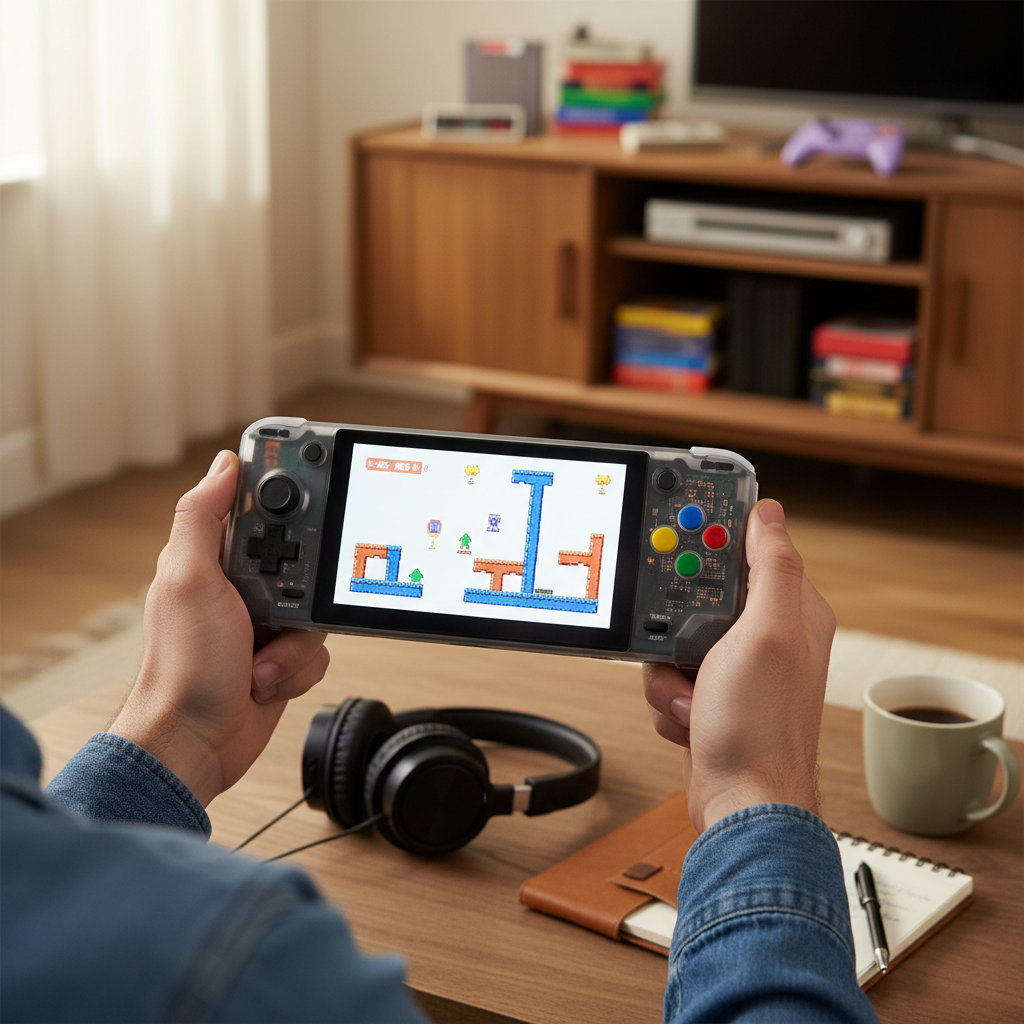
A handheld game console for retro gaming is a portable device primarily designed or configured to play video games from past generations, often through emulation. While the term “handheld game console” broadly covers any portable gaming device, a retro handheld specifically focuses on replicating the experience of consoles and arcade machines from decades past. This differs significantly from modern smartphones or tablets, which, while capable of emulation, lack the dedicated physical controls and optimized software that define a true retro gaming handheld. These specialized devices offer a more authentic and immersive experience, often featuring classic aspect ratios, custom firmwares, and a design philosophy rooted in gaming history.
Why Choose a Handheld Game Console for Retro Gaming?
Choosing a dedicated retro handheld offers a unique set of advantages over general-purpose devices, making it a compelling option for enthusiasts.
-
Pros:
- Portability and Convenience: These devices are designed for gaming on the go, fitting comfortably in your pocket or bag, allowing you to pick up and play anytime, anywhere.
- Authentic Gaming Experience: Dedicated hardware often includes responsive physical buttons, D-pads, and analog sticks, mimicking the feel of original controllers crucial for precision in classic games.
- Optimized Performance: Retro handhelds are tuned to run emulators efficiently, providing smooth gameplay for a wide range of systems without the need for constant tweaking or powerful specs.
- Curated Software Ecosystems: Many devices boast custom firmware and user-friendly interfaces, making game management and setup straightforward, even for novice users.
- Focus on Gaming: Free from the distractions of notifications, emails, and social media, these handhelds allow for an uninterrupted, pure gaming session.
- Affordability: Compared to modern flagship consoles or high-end PCs, many retro handhelds offer excellent value, providing access to thousands of games for a relatively low upfront cost.
-
Cons:
- Limited Power: While excellent for retro titles, these devices typically can’t handle demanding modern AAA games.
- Specific Niche: Their primary focus on emulation might not appeal to gamers looking for the latest releases.
- Learning Curve: Some devices, especially those with open-source operating systems, may require a bit of technical know-how for optimal setup.
|
Our Picks for the Best Handheld game console in 2026
As an Amazon Associate I earn from qualifying purchases.
|
||
| Num | Product | Action |
|---|---|---|
| 1 | R36MAX Retro Handheld Game Console, 4.0 Inch 720x720 IPS Screen, 64GB Built-in 18,000+ Classic Game, Portable Hand Held Open Source Linux System, 4000mAh Battery Retro Gaming Console(White 64GB) |

|
| 2 | Handheld Game for Kids -Preloaded 220 Retro Video Games, Portable Gaming Player with Rechargeable Battery 3.0" LCD Screen, Mini Arcade Electronic Toy Gifts for Boys Girls (Red) |
|
| 3 | 32 Bit Handheld Games for Kids Preloaded 139 Video Games, Portable Video Gaming Player with 3.0" IPS Screen and Rechargeable Battery, Mini Travel Games Electronic Gifts Toys for Boys Girls, Blue |
|
| 4 | ASUS ROG Xbox Ally – 7” 1080p 120Hz Touchscreen Gaming Handheld, 3-month Xbox Game Pass Premium included, AMD Ryzen Z2 A, 16GB RAM, 512GB SSD, White |
|
| 5 | R36MAX Handheld Game Console - 4.0-Inch Screen, Support 22000+Classic Games,128G TF Card,Portable Console with Open Source System,4000mAh Battery,Birthday Gift for Adult or Partner - Black |
|
| 6 | R36MAX Retro Handheld Game Console, 4.0 Inch 720x720 IPS Screen, 64GB Built-in 18,000+ Classic Game, Portable Hand Held Open Source Linux System, 4000mAh Battery Retro Gaming Console(Black 64GB) |
|
| 7 | Handheld Game for Kids -Preloaded 220 Retro Video Games, Portable Gaming Player with Rechargeable Battery 3.0" LCD Screen, Mini Arcade Electronic Toy Gifts for Boys Girls (Blue) |
|
| 8 | Retro Handheld Game Console of Boy Portable Hand Held Video Games X9 Preloaded Wireless Juegos para Niños Stick TV Pixel Gaming for Kids Sf3000 Plug 'n' Play Drive Systems De Juegos Portátil |
|
| 9 | RG56PRO Retro Handheld Game Console - 5.5 Inch IPS Screen,31000+ Classic 3D Games,5000mAh Battery, Open Linux System,Portable Console with 128G TF Card - Birthday Gift for Boyfriend (Black) |
|
| 10 | R36MAX Retro Handheld Game Console, 4.0 Inch IPS HD Screen Portable Retro Gaming Console, 1.5GHz CPU Support 30+ Emulator Console Video Game Console, 4000mAh Battery (64GB Black) |
|
Popular Types of Handheld Game Consoles for Retro Gaming
The market for retro handhelds has exploded, offering a diverse range of devices catering to different preferences and budgets. Here are some of the most prominent categories and examples:
Anbernic Devices
Anbernic is a dominant player, known for its extensive lineup of retro handhelds.
- Pros: Generally well-built with good quality screens and physical controls. They offer a wide range of performance tiers, from budget-friendly 8-bit to powerful 3D emulation. Many devices run Linux-based custom firmwares, providing excellent community support and flexibility.
- Cons: Can be overwhelming with the sheer number of models. Some devices might have minor ergonomic quirks.
- Popular Models:
- RG35XX series: Excellent budget options for up to PS1.
- RG353 series: Mid-range, often with Android/Linux dual-boot, great for N64/Dreamcast.
- RG405 series: More powerful, capable of some lighter GameCube/PS2 emulation.
Retroid Pocket Series
Retroid has carved out a niche with its Android-based handhelds that blend modern smartphone capabilities with dedicated gaming controls.
- Pros: Access to the Android app ecosystem (including retroarch and standalone emulators from the Play Store), robust build quality, excellent screens, and strong community support. They offer a good balance of power and portability.
- Cons: Android setup can be slightly more involved than Linux-based systems for some users.
- Popular Models:
- Retroid Pocket 2S: A very capable mid-range option, successor to the popular RP2+.
- Retroid Pocket 3+ / 4 Pro: Higher-end models for demanding systems like PS2, GameCube, and even some Switch emulation.
Miyoo Mini Series
The Miyoo Mini gained cult status for its ultra-portable form factor and surprisingly strong performance for its size.
- Pros: Extremely pocketable, vibrant screen, and excellent custom firmware support (e.g., Onion OS) making it incredibly user-friendly. Ideal for 8-bit, 16-bit, and PS1 games.
- Cons: Small size might not be comfortable for extended play for some. Limited power, mainly for older systems. Increasingly difficult to find new.
- *Popular Models: Miyoo Mini, Miyoo Mini Plus.
Powkiddy Devices
Powkiddy offers a wide array of handhelds, often focusing on affordability and unique designs.
- Pros: Diverse range of form factors, from vertical to horizontal and even flip-style devices. Often budget-friendly entry points into retro gaming.
- Cons: Build quality can be inconsistent across models. Default software sometimes requires more tweaking than Anbernic or Retroid.
- *Popular Models: RGB30 (unique square screen), X55 (larger screen), RK2023.
Other Choices: Steam Deck and High-End Emulators
While not dedicated retro handhelds, devices like the Steam Deck are incredibly capable emulation machines.
- Steam Deck:
- Pros: Unmatched power for emulation up to Switch and PS3. Large, high-quality screen. Excellent ergonomics. Access to SteamOS, which is Linux-based and highly customizable for emulators like EmuDeck.
- Cons: Much larger and heavier than typical retro handhelds, less pocketable. Significantly higher price point. Battery life can vary wildly with demanding emulation.
- AYANEO & GPD WIN Series: These are high-end Windows-based handheld PCs that offer top-tier emulation performance, often with premium builds and screens. They are the most expensive options but can handle almost any system thrown at them.
Comparing Popular Retro Handheld Game Consoles
To help you decide, here’s a comparative overview of some popular models. Please note that specifications and prices can vary.
| Feature | Miyoo Mini Plus | Anbernic RG35XX Plus | Retroid Pocket 3+ | Steam Deck (Base) |
|---|---|---|---|---|
| CPU | ARM Cortex-A7 | ARM Cortex-A55 | Unisoc T618 | AMD APU (Zen 2) |
| GPU | – | Mali-G31 MP2 | Mali-G52 MC2 | AMD RDNA 2 |
| RAM | 128MB | 1GB DDR3 | 4GB LPDDR4X | 16GB LPDDR5 |
| Storage | SD Card | SD Card | 128GB eMMC + SD | 64GB eMMC + SD |
| Screen | 3.5″ IPS (640×480) | 3.5″ IPS (640×480) | 4.7″ IPS Touch (1334×750) | 7″ IPS Touch (1280×800) |
| Battery | 3000mAh | 3300mAh | 4500mAh | 40Wh |
| OS | Linux (OnionOS) | Linux (GarlicOS) | Android 11 | SteamOS (Linux) |
| Emulation (Typical) | Up to PS1 | Up to PS1/Dreamcast | Up to PS2/GameCube | Up to Switch/PS3 |
| Price (Approx.) | $60-80 | $70-90 | $150-180 | $399-649 |
Buying Guide: How to Choose the Right Handheld Game Console for Retro Gaming Fun
Selecting the perfect retro handheld is a personal journey, influenced by your specific needs and gaming habits. Consider these factors carefully to make an informed decision.
1. Determine Your Usage Needs
- What games do you want to play? This is the most crucial question. If you’re only interested in NES, SNES, and PS1, a budget-friendly device like the Miyoo Mini Plus or Anbernic RG35XX Plus will suffice. For N64, Dreamcast, and PSP, you’ll need something like a Retroid Pocket 3+. GameCube, PS2, and 3DS emulation require significantly more power, pushing you towards the Retroid Pocket 4 Pro or a Steam Deck.
- How often will you play? Casual, short bursts or extended sessions?
- What level of portability do you need? Pocketable, bag-friendly, or desktop replacement?
- Are you comfortable with tinkering? Some devices are plug-and-play, while others require more setup.
2. Key Factors to Consider
- Performance (CPU, GPU, RAM): This directly impacts which systems you can emulate smoothly.
- 8-bit/16-bit (NES, SNES, Genesis): Most devices can handle these.
- 32-bit/64-bit (PS1, N64, Dreamcast): Requires a mid-range chip (e.g., Rockchip RK3566, Unisoc T310/T610).
- 128-bit+ (PS2, GameCube, Wii, 3DS, Switch): Demands high-end chips (e.g., Unisoc T618, Dimensity 900, AMD APU in Steam Deck).
- Screen:
- Size: From 2.8 inches (Miyoo Mini) to 7 inches (Steam Deck). Larger screens are more immersive, smaller ones more portable.
- Resolution: 640×480 is ideal for many retro systems (integer scaling for perfect pixel ratios). Higher resolutions (e.g., 720p, 1080p) are good for modern Android games or upscaling retro titles.
- Aspect Ratio: 4:3 is authentic for many classic consoles, while 16:9 is better for PSP, Dreamcast, or modern Android games.
- Quality: IPS panels offer good viewing angles and color reproduction.
- Battery Life: Ranges from 3-4 hours on smaller devices to 6-8+ hours on larger ones, depending on the game and screen brightness.
- Operating System & Firmware:
- Linux-based (e.g., GarlicOS, OnionOS): Often very user-friendly, optimized for retro emulation, and low-resource. Great for dedicated retro machines.
- Android-based: Offers flexibility with access to the Play Store for various emulators and modern mobile games. Can be more resource-intensive.
- Windows-based: Highest compatibility but generally found on larger, more expensive handheld PCs.
- Ergonomics and Build Quality: How comfortable does it feel in your hands for extended sessions? Are the buttons and D-pad clicky and responsive? Look for solid construction.
- Connectivity: Wi-Fi for updates and online features, Bluetooth for external controllers, HDMI out for TV connectivity.
- Storage: Most devices use microSD cards, allowing for expandable storage for thousands of games.
- Price: Retro handhelds range from under $50 to several hundred dollars. Set a budget and stick to it.
Advice for Different User Types
- Budget-Conscious Retro Enthusiast (8-bit/16-bit/PS1): Look at the Miyoo Mini Plus or Anbernic RG35XX Plus. They offer incredible value and a superb experience for older systems.
- Mid-Range All-Rounder (N64/Dreamcast/PSP): The Retroid Pocket 3+ or Anbernic RG405M/RG505 are excellent choices, offering a balance of power and portability.
- Power User / Modern Retro (PS2/GameCube/Switch): The Retroid Pocket 4 Pro or Steam Deck are your best bets. Be prepared for a higher price point and potentially larger form factor.
- Collector/Unique Form Factor: Explore Powkiddy’s range for devices with unique designs or screen ratios (like the RGB30).
“The true magic of retro gaming isn’t just about playing old games; it’s about the feeling of discovery and connection to a past era of gaming, made accessible and enjoyable through modern handheld technology.” – Alex Williams, Retro Gaming Historian.
Top Picks: The Best Handheld Game Consoles for Retro Gaming Fun Right Now
Based on performance, value, and user experience, here are some top recommendations:
- Best Overall Value (for up to PS1): Anbernic RG35XX Plus. This device offers a fantastic 3.5-inch 4:3 screen, reliable performance for 8-bit, 16-bit, and PS1 games, and excellent custom firmware support (GarlicOS) all at an unbeatable price point.
- Best Mid-Range Performer (for N64/Dreamcast/PSP/some PS2): Retroid Pocket 3+. With its powerful Unisoc T618 chip, vibrant touchscreen, and Android OS, the RP3+ provides a versatile and comfortable experience for a broad range of systems. The build quality and community support are also excellent.
- Best for Power & Modern Emulation (for PS2/GameCube/Switch): Retroid Pocket 4 Pro or Steam Deck. If you want to push the boundaries of handheld emulation, the RP4 Pro offers impressive performance for its size and price. For ultimate power and a larger budget, the Steam Deck is king, running almost everything flawlessly through EmuDeck.
- Best Ultra-Portable (for 8-bit/16-bit/PS1): Miyoo Mini Plus. Its tiny form factor and superb OnionOS firmware make it the ultimate pocket companion for quick blasts of classic gaming.
[image-1|retro-gaming-handhelds-collection|A collection of diverse retro handheld gaming consoles, showcasing various form factors and screen sizes, arranged on a vintage wooden desk with old gaming cartridges and joysticks as background elements, creating a nostalgic and inviting atmosphere for retro gaming. The lighting is warm and diffused, highlighting the devices. Editorial style.|
A diverse collection of retro handheld gaming consoles, including vertical, horizontal, and flip designs, with varying screen sizes from small to medium, arranged neatly on a vintage wooden desk. In the background, there are scattered old gaming cartridges from NES, SNES, and Game Boy, along with classic joysticks, evoking a strong sense of nostalgia. The scene is well-lit with warm, diffused lighting, creating an inviting and cozy atmosphere. The style is realistic and editorial, focusing on the details of the devices and surrounding retro gaming elements.]
Tips and Tricks for Using Your Retro Handheld Game Console
Maximizing your retro gaming experience often involves a few clever tricks and optimizations.
- Install Custom Firmware: For devices like Anbernic (GarlicOS) and Miyoo Mini (OnionOS), custom firmware significantly enhances the user experience, adding features, improving performance, and streamlining navigation. Check online communities for installation guides.
- Optimize Performance Settings: Within emulators, adjust settings like frameskip, resolution scaling, and texture filtering to balance performance and visual quality. Lowering resolution or disabling demanding shaders can improve framerates on less powerful devices.
- Curate Your Game Library: Organize your ROMs into clearly labeled folders by system. Use tools on your PC to manage and rename files for easier navigation on the handheld.
- Backup Your SD Card: The SD card often contains the operating system and all your games. Create a backup image of the card regularly to prevent data loss. Many recommend replacing the stock SD card with a reputable brand for better reliability.
- Connect to a TV (if supported): Many retro handhelds offer HDMI output, transforming your portable device into a home console for a big-screen retro experience.
- Explore Emulation Frontiers: Don’t be afraid to try different emulators for the same system. Sometimes, a specific emulator might perform better or offer more features for a particular game.
Essential Accessories for Your Retro Handheld Game Console
Enhance your retro gaming setup with these useful accessories.
- High-Quality MicroSD Card: Essential for storing your game library and custom firmware. Opt for reputable brands (SanDisk, Samsung) with sufficient speed (Class 10/U1 or higher).
- Screen Protector: Protect your display from scratches and smudges, especially for touchscreen devices.
- Protective Case: A hard shell or soft pouch will safeguard your handheld from drops and bumps while on the go.
- USB-C Charging Cable & Wall Adapter: Ensure you have reliable charging accessories, preferably a fast charger if your device supports it.
- HDMI Cable (if applicable): For connecting your handheld to a television or monitor.
- Bluetooth Controller (for some models): If your handheld supports Bluetooth, an external controller can provide a more comfortable experience for home play, especially with TV output.
- External Power Bank: Extend your playtime significantly, especially useful for travel or long commutes.
Conclusion
The quest for the best handheld game console for retro gaming fun is a rewarding one, opening doors to countless hours of nostalgic entertainment. From the pocket-sized Miyoo Mini Plus that perfectly encapsulates the charm of 8-bit and 16-bit eras to the formidable Steam Deck capable of tackling modern emulation challenges, there’s a device for every taste and budget. By carefully considering your desired game libraries, performance needs, and portability preferences, you can find the ideal companion to relive the magic of gaming history. So, which classic adventure will you embark on first with your new retro handheld?
Frequently Asked Questions
What is the best handheld for retro gaming if I only want to play GBA and PS1 games?
For GBA and PS1 games, the Anbernic RG35XX Plus or Miyoo Mini Plus are excellent choices. They offer perfect 4:3 aspect ratio screens, robust performance for these systems, and strong community support for custom firmware, all at a very affordable price point, making them ideal for dedicated retro fun.
Can the Steam Deck emulate retro games, or is it only for modern PC titles?
Yes, the Steam Deck is an incredibly powerful retro emulation machine. While designed for modern PC titles, its Linux-based SteamOS, combined with software like EmuDeck, allows it to emulate a vast array of classic systems, including PS2, GameCube, Wii U, 3DS, and even Switch, with high fidelity and excellent performance.
Is it better to get an Android-based or Linux-based retro handheld?
The choice between Android and Linux-based retro handhelds depends on your priorities. Linux-based devices (like Anbernic RG35XX) are often more streamlined and optimized specifically for retro emulation, offering simpler user interfaces. Android-based handhelds (like Retroid Pocket) provide greater flexibility with access to the Play Store for various standalone emulators and modern mobile games, but may require more initial setup.
What should I look for in a screen for retro gaming?
For an authentic retro gaming experience, a screen with a 4:3 aspect ratio and a 640×480 resolution is often preferred, as it allows for perfect “integer scaling” of many classic consoles’ native resolutions without visual distortion. Good color accuracy and an IPS panel for wide viewing angles are also beneficial.
Are cheap retro handhelds from unknown brands worth it?
While some affordable retro handhelds offer good value, caution is advised with unknown brands. They may have inconsistent build quality, poor screen performance, or outdated software that lacks community support. It’s generally safer to stick with established brands like Anbernic, Retroid, or Miyoo for a more reliable experience.