The world of gaming has dramatically evolved, pushing boundaries from static consoles to dynamic, portable experiences. In today’s modern smart home, where seamless connectivity and integrated technology reign supreme, the handheld game console has found a compelling new role. It’s no longer just about playing on the go; it’s about how these devices blend effortlessly into your connected living space, leveraging advanced networks and smart displays to deliver unparalleled gaming flexibility and immersion. This guide will help you navigate the options, focusing on devices that excel in performance, portability, and, most importantly, their ability to thrive within your smart home ecosystem.
What is a Handheld Game Console?
A handheld game console is a portable electronic device designed specifically for playing video games, typically featuring an integrated screen, built-in controls, and a compact form factor. From the revolutionary Nintendo Game Boy to the powerful, PC-grade devices of today, handhelds have continually evolved, offering dedicated gaming experiences in a highly mobile package. Unlike smartphones or tablets, which offer gaming as one of many functionalities, handheld consoles prioritize optimized controls, dedicated gaming operating systems, and often access to exclusive game libraries. This focused design ensures a superior gaming experience that phones, despite their processing power, often struggle to match.
Why Choose a Handheld Game Console for Your Smart Home?
Integrating a handheld game console into your modern smart home offers a unique blend of advantages, though it comes with a few considerations.
Advantages:
- Portability & Convenience: Imagine starting a game in your living room on the big screen, then seamlessly transitioning to your handheld while lounging in the bedroom or cooking in the kitchen. Handhelds offer unmatched freedom to play anywhere within your home’s Wi-Fi range.
- Dedicated Gaming Experience: These devices are built for gaming. Their ergonomic designs, tactile buttons, and optimized software provide a more satisfying and precise control experience than touchscreen-only devices.
- Seamless Integration: Many modern handhelds are designed to dock with your smart TV, instantly transforming into a home console. They leverage your robust home Wi-Fi network for cloud gaming, remote play from your PC or dedicated console, and quick game downloads.
- Diverse Game Libraries: Depending on the console, you can access exclusive first-party titles, vast PC game libraries, or a wealth of cloud-streamed AAA blockbusters, offering a breadth of entertainment unmatched by single-platform devices.
|
Our Picks for the Best Handheld game console in 2026
As an Amazon Associate I earn from qualifying purchases.
|
||
| Num | Product | Action |
|---|---|---|
| 1 | R36MAX Retro Handheld Game Console, 4.0 Inch 720x720 IPS Screen, 64GB Built-in 18,000+ Classic Game, Portable Hand Held Open Source Linux System, 4000mAh Battery Retro Gaming Console(White 64GB) |

|
| 2 | Handheld Game for Kids -Preloaded 220 Retro Video Games, Portable Gaming Player with Rechargeable Battery 3.0" LCD Screen, Mini Arcade Electronic Toy Gifts for Boys Girls (Blue) |
|
| 3 | Retro Handheld Game Console of Boy Portable Hand Held Video Games X9 Preloaded Wireless Juegos para Niños Stick TV Pixel Gaming for Kids Sf3000 Plug 'n' Play Drive Systems De Juegos Portátil |
|
| 4 | 32 Bit Handheld Games for Kids Preloaded 139 Video Games, Portable Video Gaming Player with 3.0" IPS Screen and Rechargeable Battery, Mini Travel Games Electronic Gifts Toys for Boys Girls, Blue |
|
| 5 | R36MAX Retro Handheld Game Console, 4.0 Inch 720x720 IPS Screen, 64GB Built-in 18,000+ Classic Game, Portable Hand Held Open Source Linux System, 4000mAh Battery Retro Gaming Console(Black 64GB) |
|
| 6 | R36MAX Retro Handheld Game Console, 4.0 Inch IPS HD Screen Portable Retro Gaming Console, 1.5GHz CPU Support 30+ Emulator Console Video Game Console, 4000mAh Battery (64GB Black) |
|
| 7 | Handheld Game for Kids -Preloaded 220 Retro Video Games, Portable Gaming Player with Rechargeable Battery 3.0" LCD Screen, Mini Arcade Electronic Toy Gifts for Boys Girls (Red) |
|
| 8 | ASUS ROG Xbox Ally – 7” 1080p 120Hz Touchscreen Gaming Handheld, 3-month Xbox Game Pass Premium included, AMD Ryzen Z2 A, 16GB RAM, 512GB SSD, White |
|
| 9 | R36MAX Handheld Game Console - 4.0-Inch Screen, Support 22000+Classic Games,128G TF Card,Portable Console with Open Source System,4000mAh Battery,Birthday Gift for Adult or Partner - Black |
|
| 10 | RG56PRO Retro Handheld Game Console - 5.5 Inch IPS Screen,31000+ Classic 3D Games,5000mAh Battery, Open Linux System,Portable Console with 128G TF Card - Birthday Gift for Boyfriend (Black) |
|
Disadvantages:
- Initial Cost: While some options are affordable, high-performance handhelds can be a significant investment compared to simply using a smartphone.
- Performance Limitations: Natively running the latest AAA games often requires powerful hardware, which can make some handhelds heavier and more expensive. Cloud streaming mitigates this but depends on network quality.
- Wi-Fi Dependency: For streaming-focused devices, a strong, stable internet connection and robust home Wi-Fi are absolutely crucial. Poor connectivity can lead to frustrating lag and visual artifacts.
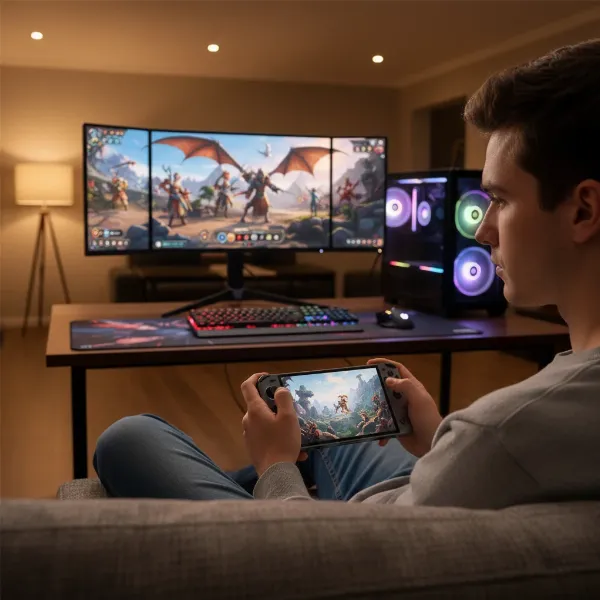
[image-1|handheld-gaming-setup|A person playing a handheld game console, seamlessly integrated into a modern smart home living room with dynamic smart lighting and a large smart TV in the background.|
A person (20-30s, gender neutral) actively playing a sleek, modern handheld game console, smiling. The background is a stylish, minimalist modern smart home living room. Smart LED strip lights around the TV glow in dynamic, immersive colors synced to the game. A large, thin-bezel smart TV displays vibrant game graphics. The person is comfortably seated on a sofa, with smart speakers visible in the periphery. Soft, diffused ambient lighting complements the scene, creating a cozy yet futuristic gaming atmosphere. The camera angle is eye-level, slightly wide to capture both the player and the smart home environment.]
How Handhelds Enhance Your Modern Smart Home Gaming
The true magic of a handheld game console in a smart home lies in its ability to enhance and extend your gaming experience through connectivity and clever integration with existing smart technology.
Cloud Gaming & Remote Play
These technologies are game-changers for smart home integration. Cloud gaming offloads the demanding processing power to remote servers, allowing you to stream graphics-intensive AAA titles to your handheld over Wi-Fi. This means you can play games that your handheld couldn’t run natively, accessing vast libraries like Xbox Game Pass Ultimate or NVIDIA GeForce NOW. Remote play, on the other hand, lets you stream games directly from your powerful home PC, PlayStation 5, or Xbox Series X/S to your handheld, effectively making your existing gaming hardware accessible anywhere in your house. The ability to start a game on your smart TV and continue it seamlessly on your handheld in another room is a prime example of this synergy.
Connectivity & Smart Home Network
A robust home network is the backbone of modern handheld gaming. Devices optimized for a smart home typically feature advanced Wi-Fi (5GHz, Wi-Fi 6, or even Wi-Fi 6E) to ensure low latency and high bandwidth for smooth streaming and remote play. Bluetooth connectivity is equally important, allowing you to effortlessly pair wireless controllers, gaming headsets, or even external smart speakers for an enhanced audio experience without being tethered by cables.
Visual & Audio Integration
Many handhelds offer video output capabilities, allowing you to connect them to your smart TV via HDMI (often through a dock). This transforms your personal portable screen into a shared big-screen experience, perfect for multiplayer sessions or simply enjoying games on a larger canvas. Beyond direct connection, your smart home’s integrated sound system – be it a soundbar or a full surround sound setup – can be leveraged for immersive audio. Furthermore, advanced smart lighting systems, such as Philips Hue, can sync with your gameplay, dynamically changing colors and intensity to match in-game events, creating an unparalleled immersive ambiance.
Voice Control & Automation (Indirect)
While handheld consoles don’t typically control your smart home directly, they benefit immensely from it. You can use voice assistants like Alexa or Google Assistant via your smart speakers to manage your environment around your gaming session. Dim the smart lights, adjust the thermostat, change the TV input, or control the volume of your smart sound system—all hands-free, without pausing your game or breaking immersion. This indirect control creates a truly seamless and convenient gaming haven.
Top Handheld Game Consoles for Modern Smart Homes
Choosing the “best” handheld depends heavily on your existing gaming setup, budget, and priorities. Here’s a look at the leading contenders and how they fit into a smart home.
1. Logitech G Cloud
The Logitech G Cloud is a standout for smart home users prioritizing cloud gaming and remote play. It’s essentially an Android tablet specifically optimized for streaming, featuring a vibrant 7-inch 1080p Full HD touchscreen and comfortable, gaming-grade controls.
- Pros: Exceptional battery life (12+ hours for streaming), incredibly lightweight, comfortable ergonomics, excellent screen for streaming visuals, very reliable Wi-Fi for low-latency streaming, and an attractive price point for a dedicated streaming device. It handles Xbox Cloud Gaming, NVIDIA GeForce NOW, Xbox Remote Play, and PS Remote Play (via third-party apps) with ease.
- Cons: Limited native gaming power (primarily for Android games), generally no direct video output via its USB-C port for TV connection.
- Smart Home Fit: Perfect for households with robust Wi-Fi and subscriptions to game streaming services. It extends your gaming library to any room with minimal fuss, leveraging your smart TV as a display for the streamed content rather than directly outputting from the device itself.
2. Valve Steam Deck (OLED Model)
The Steam Deck, especially the OLED model, offers a powerful PC gaming experience in a handheld form factor. It’s a versatile machine capable of running AAA PC games natively.
- Pros: Full PC game library (Steam), powerful performance for native gaming, gorgeous OLED screen, highly customizable SteamOS, and robust docking capabilities to connect to any smart TV or monitor. It also excels at remote play from a local PC.
- Cons: Heavier and bulkier than the G Cloud, generally shorter battery life when playing demanding native games, and a higher price point.
- Smart Home Fit: An excellent choice for PC gamers who want to take their entire library anywhere in the house. Its ability to dock and seamlessly switch between handheld and smart TV modes makes it a powerful centerpiece for a flexible home gaming setup, leveraging a strong home network for both downloads and streaming.
3. Nintendo Switch (OLED Model)
The Nintendo Switch has defined the hybrid gaming console, offering both handheld and traditional console play. The OLED model enhances this experience with a stunning display.
- Pros: Unique hybrid design allows seamless transition between handheld and docked TV play, an extensive library of exclusive first-party titles, excellent OLED screen, and family-friendly multiplayer options.
- Cons: Lower graphical fidelity compared to powerful PC handhelds, fewer third-party AAA games, and less focus on cloud streaming services.
- Smart Home Fit: Ideal for family-oriented smart homes where versatility and shared experiences are key. The easy docking mechanism makes it a seamless fit for connecting to the living room smart TV, while its portability allows individual members to play in their own spaces.
4. ASUS ROG Ally / Lenovo Legion Go
These Windows-based handheld PCs are for gamers who demand the absolute maximum native performance in a portable package.
- Pros: Extremely powerful, capable of running modern AAA Windows games natively at good frame rates, versatile (full Windows OS), and often feature larger, high-resolution screens (especially the Legion Go). Both can be docked to a TV.
- Cons: Shorter battery life (especially under heavy load), higher cost, can be heavier, and may run hotter than other handhelds.
- Smart Home Fit: Best for enthusiasts who prioritize raw processing power and want the full, uncompromised PC game library in a portable form. They integrate into a high-performance home entertainment setup, leveraging the home network for downloads and updates, and can seamlessly connect to any smart TV for a big-screen experience.
5. Sony PlayStation Portal
The PlayStation Portal is a unique device explicitly designed for PS5 Remote Play.
- Pros: Offers a seamless, dedicated experience for streaming games from your PlayStation 5, featuring integrated DualSense controller haptics and a large, high-quality LCD screen.
- Cons: Exclusively for PS5 Remote Play, requiring an active PS5 console and a robust home Wi-Fi connection. It offers no native gaming, cloud streaming from other services, or general Android functionality.
- Smart Home Fit: An excellent choice for dedicated PS5 owners who want to extend their console gaming to any room in the house without monopolizing the main TV. Its performance is entirely dependent on the quality of your home Wi-Fi network.
Comparison Table: Modern Handheld Game Consoles
| Feature | Logitech G Cloud | Valve Steam Deck (OLED) | Nintendo Switch (OLED) | ASUS ROG Ally (e.g., Z1 Extreme) | Sony PlayStation Portal |
|---|---|---|---|---|---|
| Key Strength | Cloud/Remote Play | Portable PC Gaming | Hybrid, Exclusives | High-Performance PC | Dedicated PS5 Remote Play |
| Screen | 7″ FHD IPS (1080p) | 7.4″ OLED (800p) | 7″ OLED (720p) | 7″ FHD IPS (1080p) | 8″ LCD (1080p) |
| CPU/GPU (General) | Snapdragon 720G | AMD Zen 2/RDNA 2 APU | Custom Nvidia Tegra | AMD Ryzen Z1 Extreme | Custom (for streaming) |
| RAM | 4GB LPDDR4x | 16GB LPDDR5 | 4GB LPDDR4 | 16GB LPDDR5 | N/A (streaming only) |
| Storage | 64GB (expandable) | 512GB/1TB SSD (expandable) | 64GB (expandable) | 512GB/1TB SSD (expandable) | N/A (streaming only) |
| Battery Life (Streaming/Native) | 12+ hrs (streaming) | 3-8 hrs (native) | 4.5-9 hrs (native) | 1-3 hrs (AAA native) | 5-8 hrs (streaming) |
| Video Output | No (typical) | Yes (via USB-C/dock) | Yes (via dock) | Yes (via USB-C/dock) | No |
| Price Range | ~$300-350 | ~$400-650 | ~$350 | ~$600-750 | ~$200 |
| Smart Home Suitability | High (streaming) | High (PC/dockable) | Moderate (hybrid) | High (power/dockable) | Specific (PS5 ecosystem) |
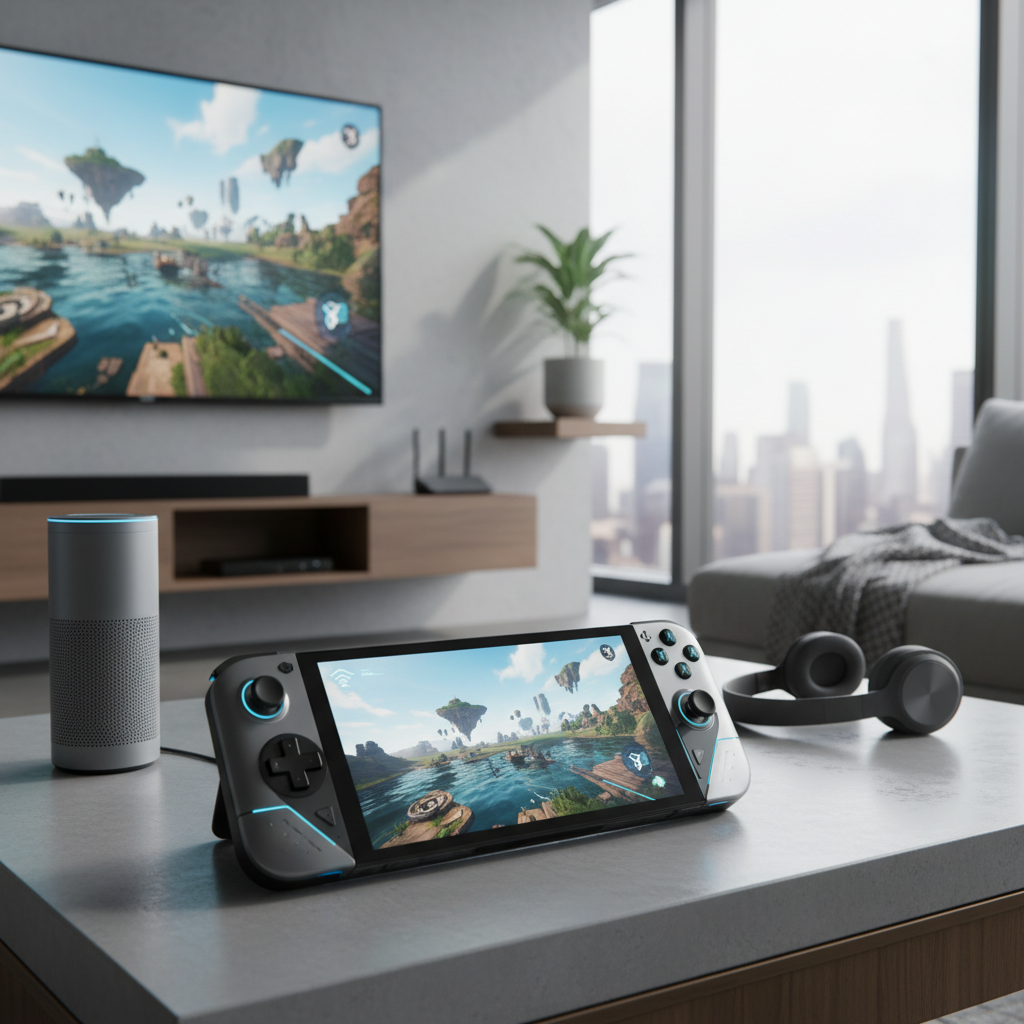
[image-2|handheld-console-comparison|Three handheld game consoles side-by-side on a modern table, showcasing their different designs and screens, with smart home elements in the background.|
Three distinct handheld game consoles (one sleek, white, cloud-focused; one robust, black, PC-centric; one vibrant, colored, hybrid console) are arranged side-by-side on a clean, light-colored modern table surface. Each console’s screen is illuminated with dynamic game visuals. In the softly blurred background, elements of a smart home are visible: a minimalistic smart speaker, a subtle smart light strip, and perhaps a smart thermostat on the wall. The lighting is bright and even, highlighting the devices and their modern setting. Eye-level shot.]
Buying Guide: How to Choose Your Perfect Smart Home Handheld
Selecting the right handheld for your modern smart home involves more than just picking the most powerful device. It requires a careful assessment of your personal gaming habits and how the device will interact with your connected environment.
Assess Your Needs:
- Gaming Style: Do you primarily play demanding AAA titles, indie games, retro classics, or heavily rely on cloud services like Xbox Game Pass? This will dictate the required processing power and operating system.
- Portability vs. Power: How important is a lightweight design and long battery life for on-the-go convenience within your home? Or do you prioritize raw graphical power, even if it means a heavier device and shorter play sessions?
- Existing Ecosystem: Are you deeply invested in PlayStation, Xbox, or PC gaming? Your current library and consoles will heavily influence which handheld offers the most seamless “remote play” or library access.
- Budget: Prices vary widely, from dedicated streaming devices to full-fledged portable gaming PCs. Determine how much you’re willing to invest in this aspect of your smart home entertainment.
- Network Quality: For any cloud or remote play device, a stable, high-speed internet connection and a robust Wi-Fi 6 (or newer) router are non-negotiable. Lag will ruin the experience.
Factors to Consider:
- Screen Quality: Look for good resolution (1080p is ideal for streaming), vibrant colors (OLED panels offer superior contrast and blacks), and adequate size for comfortable viewing.
- Connectivity: Ensure the device supports modern Wi-Fi standards (5GHz, Wi-Fi 6/6E) for optimal streaming performance and has reliable Bluetooth for accessories.
- Battery Life: Check reviews for real-world battery performance, especially under your typical usage (e.g., hours of streaming vs. native AAA gaming).
- Ergonomics: Comfort is key for extended play. If possible, try holding different models to see which feels best in your hands.
- Game Library & OS: Consider what games you want to play and how easy the device’s operating system (e.g., Android, SteamOS, Windows) makes it to access them.
- Docking Capabilities: If you plan to connect to your smart TV frequently, ensure the device offers robust and easy-to-use video output options.
Tips for Optimizing Your Handheld Gaming in a Smart Home
To get the most out of your handheld game console within a modern smart home, consider these optimization tips:
- Network Optimization: Invest in a high-quality Wi-Fi 6 or Wi-Fi 6E router, and ensure your handheld primarily connects to the 5GHz band for faster speeds and lower interference. Position your router centrally or consider a mesh Wi-Fi system for consistent coverage throughout your home.
- Smart TV Integration: Utilize HDMI output (if available) for the best visual quality on your smart TV. Some Android-based handhelds might also support wireless casting to compatible smart TVs for a cable-free experience.
- Accessory Pairing: Pair a comfortable Bluetooth gaming headset for immersive audio without disturbing others, or connect your handheld to your smart home’s external sound system for a room-filling experience.
- Smart Lighting Scenes: Create custom “gaming modes” with your smart lighting system. Dim the main lights, add accent colors that match your game’s aesthetic, or even set up dynamic lighting effects that respond to in-game actions for ultimate immersion.
- Voice Assistant Commands: Program quick voice commands with your smart assistant (e.g., “Hey Google, activate gaming mode” or “Alexa, set TV input to HDMI 1”) to effortlessly control your environment without leaving your game.
Essential Accessories for Your Smart Home Handheld
To truly complete your modern smart home gaming setup with a handheld, certain accessories can significantly enhance the experience.
- High-Speed Wi-Fi Router: As mentioned, this is foundational. A router with Wi-Fi 6 or 6E capabilities ensures the best possible streaming and remote play performance.
- Docking Station: For devices like the Nintendo Switch or Steam Deck, a dedicated docking station is essential for seamlessly connecting to your smart TV and charging. Some third-party USB-C hubs can also serve this purpose for Windows/Android handhelds.
- External Controllers: While handhelds have integrated controls, a separate high-quality Bluetooth controller (e.g., an Xbox or PlayStation controller) can be more comfortable for extended docked play sessions on your smart TV.
- Portable Charger/Power Bank: For handhelds with shorter battery life (especially powerful PC handhelds), a robust power bank is invaluable for extending playtime when away from an outlet.
- Protective Case & Screen Protector: Essential for maintaining the condition of your portable device, protecting it from drops and scratches as you move it around your smart home.
Conclusion
The modern handheld game console is a marvel of portability and power, and when integrated into a smart home, it transforms into an incredibly flexible entertainment hub. Whether you prioritize seamless cloud gaming, the full PC experience, exclusive titles, or dedicated remote play, there’s a handheld designed to fit your lifestyle. The “best” choice ultimately hinges on your specific gaming preferences, existing hardware, and the robustness of your home network. By considering these factors, you can select a device that not only provides an exceptional gaming experience but also enhances the connectivity and immersion of your entire smart home.
What smart home integrations do you envision for the next generation of handheld gaming?
Frequently Asked Questions
Can handheld game consoles control smart home devices directly?
Generally, no. Most handheld game consoles are not designed to directly control smart home devices like lights or thermostats. However, they can benefit from smart home integrations where other devices (like smart speakers with voice assistants) control the environment around the gaming experience.
Do I need a strong internet connection for all handheld consoles in a smart home?
While a strong internet connection enhances the experience for all, it is absolutely critical for handhelds focused on cloud gaming (e.g., Logitech G Cloud) or remote play (e.g., PlayStation Portal, Steam Deck streaming from PC). For consoles playing games natively (e.g., Nintendo Switch, Steam Deck running local games), a strong connection is primarily needed for downloads and online multiplayer.
Which handheld is best for streaming Xbox Game Pass?
The Logitech G Cloud is widely considered one of the best dedicated devices for streaming Xbox Game Pass (via Xbox Cloud Gaming) due to its excellent screen, long battery life, lightweight design, and optimized Wi-Fi performance. The Steam Deck and Windows handhelds can also stream it effectively.
Can I use my smart TV as a display for my handheld?
Many modern handhelds, such as the Nintendo Switch, Steam Deck, ASUS ROG Ally, and Lenovo Legion Go, can be connected to a smart TV, typically via an HDMI output from a dedicated dock or a USB-C to HDMI adapter. This allows you to play your handheld games on a larger screen. The Logitech G Cloud typically does not offer direct video out, but you can cast content from its Android OS to a compatible smart TV.
Are Windows handhelds better for a smart home?
Windows handhelds (like the ASUS ROG Ally or Lenovo Legion Go) offer the most versatility as they run a full Windows operating system, giving you access to virtually any PC game and application. This power and flexibility can make them a strong choice for a smart home, especially if you want a portable device that can also serve as a mini-PC connected to your smart TV. However, they often come with a higher price, shorter battery life, and require more technical setup than simpler, streaming-focused devices.