The world of gaming has been fundamentally transformed by the rise of handheld game consoles, evolving from pixelated curiosities into formidable machines capable of delivering stunning AAA experiences on the go. For over a decade, I’ve had a front-row seat to this incredible journey, witnessing the rapid advancements in technology that have pushed the boundaries of portable play. This deep dive aims to cut through the noise, providing you with an accurate and insightful guide to navigate the diverse landscape of handheld gaming. We’ll explore what makes these devices tick, their unique advantages and drawbacks, and ultimately, help you find the perfect portable companion to match your gaming desires and budget.
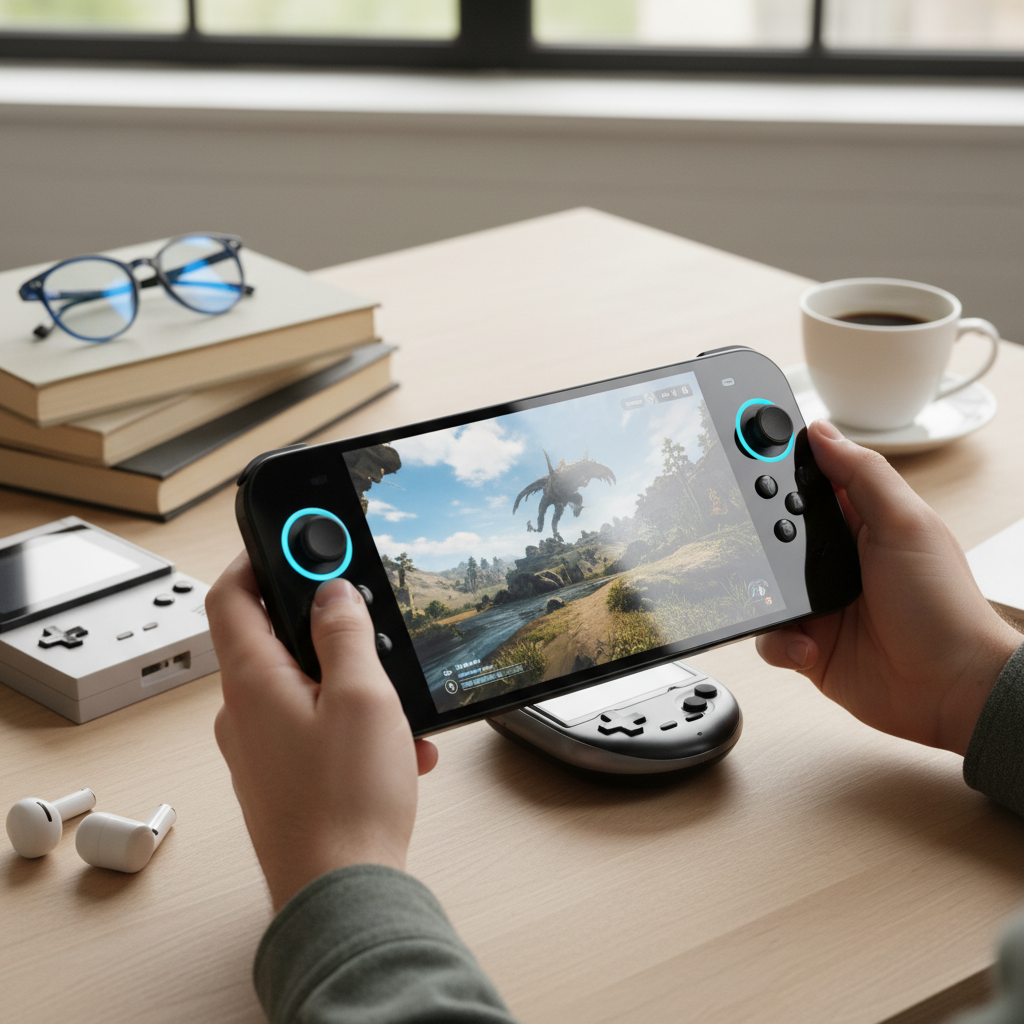
What is a Handheld Game Console?
A handheld game console is a portable electronic device designed primarily for playing video games. Unlike smartphones or tablets that offer gaming as one of many features, handheld consoles are purpose-built for dedicated gaming experiences, featuring integrated controls like buttons, joysticks, and D-pads. Their history traces back to simple electronic games and early devices like the Nintendo Game & Watch, evolving dramatically with consoles such as the Game Boy, PlayStation Portable (PSP), and Nintendo DS, leading to today’s powerful systems.
The core distinction between a handheld game console and other mobile devices lies in its singular focus. While a smartphone might offer touch-screen gaming, it often lacks the tactile feedback and precision of physical controls essential for many game genres. Handheld consoles provide a specialized, often more immersive experience, with hardware and software optimized specifically for gaming. This dedicated design ensures better performance, ergonomic comfort, and a tailored gaming ecosystem that sets them apart from multi-purpose gadgets.
Why Choose a Handheld Game Console?
The allure of handheld game consoles extends beyond mere portability; they offer a unique blend of convenience, dedicated performance, and often, exclusive gaming libraries. Understanding these advantages and acknowledging their limitations is key to appreciating their place in the modern gaming world.
Advantages of Handheld Game Consoles
- Mobility and Convenience: The most obvious benefit is the freedom to game anywhere. Whether you’re commuting, traveling, or simply moving between rooms at home, handhelds ensure your games are always within reach. They transform waiting times and downtime into opportunities for adventure.
- Specialized Gaming Experience: Handhelds are designed from the ground up for gaming. This means integrated, ergonomic controls that offer superior precision and feedback compared to touchscreen-only devices. The hardware is optimized to run games smoothly, providing a consistent and enjoyable experience.
- Exclusive Game Libraries: Many handheld consoles boast unique titles that are unavailable on other platforms. Nintendo’s vast catalog of first-party games, for instance, remains a significant draw for the Switch line, offering experiences crafted specifically for its hardware.
|
Our Picks for the Best Handheld game console in 2026
As an Amazon Associate I earn from qualifying purchases.
|
||
| Num | Product | Action |
|---|---|---|
| 1 | R36MAX Retro Handheld Game Console, 4.0 Inch 720x720 IPS Screen, 64GB Built-in 18,000+ Classic Game, Portable Hand Held Open Source Linux System, 4000mAh Battery Retro Gaming Console(White 64GB) |

|
| 2 | 32 Bit Handheld Games for Kids Preloaded 139 Video Games, Portable Video Gaming Player with 3.0" IPS Screen and Rechargeable Battery, Mini Travel Games Electronic Gifts Toys for Boys Girls, Blue |
|
| 3 | ASUS ROG Xbox Ally – 7” 1080p 120Hz Touchscreen Gaming Handheld, 3-month Xbox Game Pass Premium included, AMD Ryzen Z2 A, 16GB RAM, 512GB SSD, White |
|
| 4 | Retro Handheld Game Console of Boy Portable Hand Held Video Games X9 Preloaded Wireless Juegos para Niños Stick TV Pixel Gaming for Kids Sf3000 Plug 'n' Play Drive Systems De Juegos Portátil |
|
| 5 | R36MAX Retro Handheld Game Console, 4.0 Inch IPS HD Screen Portable Retro Gaming Console, 1.5GHz CPU Support 30+ Emulator Console Video Game Console, 4000mAh Battery (64GB Black) |
|
| 6 | R36MAX Handheld Game Console - 4.0-Inch Screen, Support 22000+Classic Games,128G TF Card,Portable Console with Open Source System,4000mAh Battery,Birthday Gift for Adult or Partner - Black |
|
| 7 | R36MAX Retro Handheld Game Console, 4.0 Inch 720x720 IPS Screen, 64GB Built-in 18,000+ Classic Game, Portable Hand Held Open Source Linux System, 4000mAh Battery Retro Gaming Console(Black 64GB) |
|
| 8 | RG56PRO Retro Handheld Game Console - 5.5 Inch IPS Screen,31000+ Classic 3D Games,5000mAh Battery, Open Linux System,Portable Console with 128G TF Card - Birthday Gift for Boyfriend (Black) |
|
| 9 | Handheld Game for Kids -Preloaded 220 Retro Video Games, Portable Gaming Player with Rechargeable Battery 3.0" LCD Screen, Mini Arcade Electronic Toy Gifts for Boys Girls (Red) |
|
| 10 | Handheld Game for Kids -Preloaded 220 Retro Video Games, Portable Gaming Player with Rechargeable Battery 3.0" LCD Screen, Mini Arcade Electronic Toy Gifts for Boys Girls (Blue) |
|
Disadvantages of Handheld Game Consoles
- Potentially Higher Cost: Dedicated handhelds, especially the more powerful PC-based models, can represent a significant investment compared to lower-cost mobile gaming options. This upfront expense can be a barrier for some gamers looking for casual play.
- Limited Performance Compared to PCs or Home Consoles: While modern handhelds are incredibly powerful, they still operate within thermal and power constraints that limit their raw performance compared to high-end gaming PCs or current-generation home consoles. This might mean lower resolutions, frame rates, or graphical settings for demanding titles.
- Battery Life Concerns: Running powerful games on a compact, battery-powered device inevitably leads to trade-offs in battery longevity. Intensive gaming sessions often require frequent recharging, which can interrupt gameplay on the go.
[image-1|handheld-gaming-console-benefits|A person happily playing a modern handheld game console on a train, showcasing portability and dedicated gaming. |
A person in their late 20s, with a relaxed expression, is deeply engrossed in playing a sleek, modern handheld game console on a train. The console glows with vibrant game graphics, and the player holds it comfortably with both hands, highlighting its ergonomic design. The background shows blurred scenery passing by outside the train window, emphasizing the device’s portability. Soft, natural lighting from the window illuminates the scene, and the overall style is realistic and inviting.]
Popular Handheld Game Consoles
The handheld market is more diverse than ever, with devices catering to every type of gamer. From hybrid consoles to powerful PC-grade machines and retro emulation wonders, there’s a handheld for nearly every preference.
Nintendo Switch
The Nintendo Switch revolutionized handheld gaming by offering a unique hybrid experience. It seamlessly transitions between a portable handheld and a home console docked to a TV.
- Advantages: Its biggest strengths lie in its versatility and its unparalleled library of exclusive first-party games, including iconic franchises like The Legend of Zelda and Super Mario. The detachable Joy-Con controllers enable instant multiplayer, making it a fantastic social gaming device. The console’s design and software are incredibly user-friendly. The newer Nintendo Switch 2 enhances this further with a custom NVIDIA Tegra T239 processor, a 7.9-inch 1080p LCD touchscreen, and 12GB RAM, along with backward compatibility and an included dock for TV play.
- Disadvantages: Compared to PC handhelds, the Switch’s graphical power is less, meaning games often run at lower resolutions and frame rates. The original Switch and OLED model have relatively modest internal storage, often requiring microSD card expansion. The ergonomic comfort can be a concern for some during extended handheld play, though the Switch 2 aims to address some of these with better grips.
Steam Deck
Valve’s Steam Deck brought PC gaming into the handheld realm, offering access to your vast Steam library on a portable device running SteamOS.
- Advantages: The Steam Deck’s primary draw is its ability to play a massive catalog of PC games, from indie darlings to many AAA titles, all optimized for its hardware. Its highly customizable controls, including touchpads, provide immense flexibility. The Steam Deck OLED improves upon the original with a stunning OLED display, better battery life (3 to 12 hours), a 90Hz refresh rate, and lighter weight, making it a top contender for portable PC gaming. It’s also known for being very easy to use out of the box for verified games and customizable for advanced users.
- Disadvantages: The Steam Deck is notably larger and heavier than the Nintendo Switch, making it less pocketable. While powerful, some of the most graphically demanding modern AAA games may struggle to run at high settings or consistent frame rates. Its SteamOS is Linux-based, which can be less intuitive for those accustomed to Windows, though it can run Windows if desired. Connecting to a TV requires a separate dock.
ASUS ROG Ally X
The ASUS ROG Ally X is a powerful Windows-based handheld gaming PC designed for ultimate performance and versatility.
- Advantages: Running Windows 11, the Ally X grants access to virtually any PC game launcher (Steam, Epic Games, Xbox Game Pass, Battle.net) and offers powerful performance with an AMD AI Ryzen Z2 Extreme processor. It features a 7-inch 1920×1080 IPS touchscreen with 120Hz refresh rate and VRR support for smooth visuals. With 24GB LPDDR5X-8000 RAM and a 1TB M.2 2280 SSD, it handles intensive AAA games with ease. The improved ergonomics and larger 80Whr battery (up to 6 hours) address criticisms of earlier models.
- Disadvantages: As a Windows device, it can be more complex to navigate than console-like operating systems and may require troubleshooting Windows issues. While the battery is larger, graphically demanding games can still drain it quickly (around 2 hours). It lacks touchpads or Hall Effect joysticks found on some competitors and is typically more expensive than the Steam Deck.
Other Notable Options
- AYANEO: Known for its diverse range of Windows and Android-based handhelds, AYANEO often pushes the envelope with premium designs and powerful internal components. The AYANEO Flip DS, for instance, offers a unique dual-screen experience for multitasking. However, AYANEO devices can be quite expensive, and battery life is a common concern due to their powerful hardware.
- Lenovo Legion Go 2: This Windows 11 handheld boasts the largest screen currently available at 8.8 inches, with a WUXGA (1920×1200) OLED display and a 144Hz refresh rate, supporting VRR. Its detachable controllers with a mouse wheel and FPS mode offer unique input options. However, it is a larger device and can be costly.
- MSI Claw 8 AI+: This Intel-powered Windows 11 handheld features an Intel Core Ultra 7-258V processor with Intel Arc Graphics, 32GB RAM, and a 1TB SSD. It offers exceptional performance for AAA titles, an 8-inch 120Hz VRR IPS display, and Hall Effect joysticks. It is a premium, high-performing, but expensive option with typical handheld battery life.
- Retroid Pocket, Anbernic, Powkiddy: These brands dominate the retro gaming handheld space, offering affordable devices primarily for emulation of older console systems. They typically run Android or custom Linux distributions, providing access to vast libraries of classic games. Their appeal lies in nostalgia, portability, and budget-friendliness, though their performance is limited to retro titles.
- Logitech G Cloud: This Android device is specifically designed for cloud gaming, featuring a Snapdragon 720G processor, a 7-inch 1080p IPS touchscreen, and a remarkable battery life of up to 12 hours. It comes with Xbox Game Pass, NVIDIA GeForce NOW, and Steam Link pre-installed, making it ideal for streaming games without requiring high local processing power. It’s lightweight and comfortable but relies heavily on a stable internet connection.
Comparison of Popular Handheld Game Consoles
Choosing the right handheld can be challenging given the variety of options. This table provides a quick overview of key specifications for some of the most popular devices to help you compare them at a glance.
| Feature | Nintendo Switch 2 | Steam Deck OLED | ASUS ROG Ally X | Lenovo Legion Go 2 | MSI Claw 8 AI+ | Logitech G Cloud |
|---|---|---|---|---|---|---|
| Operating System | Proprietary Nintendo OS | SteamOS 3.0 (Linux-based) | Windows 11 Home | Windows 11 Home | Windows 11 | Android |
| Processor | Custom NVIDIA Tegra T239 | Semi-custom AMD APU “Aerith” | AMD AI Ryzen Z2 Extreme | AMD Ryzen Z2 / Z2 Extreme | Intel Core Ultra 7-258V | Qualcomm Snapdragon 720G |
| GPU | Integrated NVIDIA | Integrated AMD RDNA 2 | Integrated AMD RDNA 3 | Integrated AMD RDNA 3 | Intel Arc Graphics | Integrated Adreno 618 |
| RAM | 12GB | 16GB | 24GB LPDDR5X-8000 | 16GB / 32GB | 32GB | 4GB |
| Internal Storage | 256GB (UFS) | 512GB / 1TB (SSD) | 1TB M.2 2280 SSD | 1TB SSD | 1TB SSD | 64GB |
| Display | 7.9-inch 1080p LCD | 7.4-inch 1280×800 OLED | 7-inch 1920×1080 IPS | 8.8-inch 1920×1200 OLED | 8-inch 1920×1200 IPS | 7-inch 1920×1080 IPS |
| Refresh Rate | 120Hz | 90Hz | 120Hz (VRR) | 144Hz (VRR) | 120Hz (VRR) | 60Hz |
| Battery Life | Up to 6.5 hours | 3 – 12 hours | Up to 6 hours (2 hours for demanding games) | 2 – 5 hours | Up to 5 hours (2 hours for demanding games) | Up to 12 hours |
| Approx. Price | $449.99 (may increase due to tariffs) | $549.00 – $649.00 | $999.99 | $879.99+ | $1,099+ | $299.99 – $349.99 |
| Key Feature | Hybrid console, exclusive games, detachable Joy-Cons | Extensive PC game library, SteamOS, trackpads | Powerful Windows PC, AAA gaming, VRR, ergonomic grips | Largest OLED screen, detachable controllers, FPS mode | High performance Intel chip, Hall Effect joysticks | Cloud gaming focus, exceptional battery life |
Buying Guide: How to Choose Your Perfect Handheld Game Console
Selecting the right handheld game console can feel overwhelming, but by clearly defining your priorities, you can narrow down the options. Consider these factors to make an informed decision that suits your gaming style and budget.
Determine Your Usage Needs
- What games do you want to play? This is perhaps the most critical question. If you’re into the latest AAA titles with stunning graphics, a Windows-based PC handheld like the ROG Ally X or MSI Claw 8 AI+ will be your best bet. For exclusive Nintendo franchises and family-friendly co-op, the Switch 2 is unmatched. If retro emulation is your passion, devices like the Retroid Pocket or Analogue Pocket excel. For cloud streaming on the go, the Logitech G Cloud offers a specialized experience.
- What level of performance do you need? Are you content with 30fps at 720p, or do you demand 60fps at 1080p or higher? More demanding performance typically means a higher price tag and potentially shorter battery life. PC handhelds push graphical fidelity, while the Switch prioritizes optimized experiences for its hardware.
- How important is portability? Some handhelds are genuinely pocketable, while others are more “backpackable.” If extreme portability is key for commutes, smaller retro devices or even the Switch Lite might be ideal. For longer sessions at home or on a plane, a larger device might offer better ergonomics and screen size.
- What is your budget? Handhelds range widely in price, from under $200 for basic retro emulators to over $1,000 for high-end Windows machines. Define your budget early to focus on realistic options.
Key Factors to Consider
- Performance (CPU, GPU, RAM): These dictate how well games run. High-end processors and ample RAM are crucial for modern AAA titles. Intel Core Ultra and AMD Ryzen Z series chips are found in powerful PC handhelds.
- Display (Size, Resolution, Refresh Rate, Panel Type):
- Size: Larger screens offer more immersive experiences but increase device size.
- Resolution: 1080p is common for modern handhelds, providing crisp visuals. Some retro handhelds have lower resolutions.
- Refresh Rate: Higher refresh rates (e.g., 90Hz, 120Hz, 144Hz) lead to smoother gameplay, especially in fast-paced titles. VRR (Variable Refresh Rate) further enhances this by matching the display’s refresh rate to the game’s frame rate.
- Panel Type: OLED displays (like on Steam Deck OLED, Legion Go 2) offer superior contrast, black levels, and vibrant colors compared to IPS LCDs, though LCDs can still be excellent.
- Battery Life: This is often a trade-off with performance. Cloud gaming handhelds or less powerful retro devices can offer exceptional battery life, while powerful PC handhelds often manage 2-6 hours on demanding titles.
- Game Library & Ecosystem: Consider the availability of games you want to play. Nintendo has its exclusives, Steam Deck has the vast Steam library, and Windows handhelds open up all PC launchers. Retro handhelds specialize in emulated titles.
- Operating System: SteamOS offers a console-like PC experience. Windows 11 provides ultimate PC versatility but can be more complex. Android-based systems are common for cloud and retro gaming.
- Price: As mentioned, set a realistic budget and explore options within that range. Factor in potential costs for accessories or game purchases.
Advice for Different User Types
- For the AAA Gamer: Look at the ASUS ROG Ally X, MSI Claw 8 AI+, or Lenovo Legion Go 2. These Windows handhelds offer the processing power to tackle demanding modern titles, though they come at a premium price and with typical PC management considerations.
- For the Hybrid Gamer (Home & Portable): The Nintendo Switch 2 is your ideal choice. Its unique design allows seamless transition between TV and handheld mode, coupled with an incredible library of exclusive titles for all ages.
- For the PC Game Enthusiast on a Budget: The Steam Deck OLED offers an excellent balance of performance, affordability (relative to other PC handhelds), and a robust ecosystem for your existing Steam library. It’s also highly moddable.
- For the Retro Aficionado: Devices from Retroid Pocket, Anbernic, or the Analogue Pocket are tailor-made for reliving classic games. They offer excellent emulation capabilities and a wide range of form factors.
- For the Cloud Gaming Enthusiast: The Logitech G Cloud is purpose-built for streaming games, offering exceptional battery life and comfort for long sessions, provided you have a stable internet connection.
Top Picks: The Best Handheld Game Consoles Right Now
Based on performance, value, and unique features, here are our top recommendations across different categories, offering a snapshot of the current handheld landscape.
- Best Overall: ASUS ROG Ally X
The ROG Ally X stands out for its powerful AMD AI Ryzen Z2 Extreme processor, vibrant 1080p 120Hz VRR display, and significant upgrades in battery life and RAM over its predecessor. Running Windows 11, it offers unmatched versatility, allowing access to virtually any PC game platform. Its improved ergonomics make it comfortable for extended AAA gaming sessions, cementing its place as the top performer. - Best Value PC Handheld: Steam Deck OLED
For those looking to dive into PC gaming on the go without breaking the bank, the Steam Deck OLED offers exceptional value. Its gorgeous OLED screen, extended battery life, and comfortable design provide a premium experience for its price point. While not as powerful as the latest Windows handhelds, it seamlessly runs a vast library of Steam-verified games, making it an accessible entry point to portable PC gaming. - Best for Hybrid & Exclusive Gaming: Nintendo Switch 2
The Nintendo Switch 2 continues to be the king of versatility, offering both dedicated handheld play and seamless docking to a TV. Its unparalleled library of exclusive first-party titles and family-friendly multiplayer options make it a must-have for many. With its updated internals and improved display, it enhances the classic Switch experience, ensuring vibrant visuals and smooth performance for Nintendo’s beloved franchises. - Best Screen & Innovative Controls: Lenovo Legion Go 2
If visual fidelity and unique input methods are your priority, the Legion Go 2 is an impressive contender. Boasting the largest 8.8-inch OLED screen with a 144Hz VRR refresh rate, it delivers stunning visuals. Its detachable controllers with integrated trackpad, mouse wheel, and FPS mode offer unparalleled flexibility for different game types, though its size and price tag are considerable.
Tips and Tricks for Using Your Handheld Game Console
Maximizing your handheld gaming experience involves more than just picking the right device; it’s also about optimizing its performance, managing your game library, and connecting with other devices.
Optimize Performance and Battery Life
- Adjust Graphics Settings: For powerful PC handhelds, lowering in-game resolution or graphical settings can significantly boost frame rates and extend battery life. Experiment to find your optimal balance.
- Manage TDP (Thermal Design Power): Many Windows and SteamOS handhelds allow you to adjust the TDP. Lowering this can reduce heat output and conserve battery, ideal for less demanding games.
- Close Background Apps: Ensure no unnecessary applications are running in the background, consuming valuable resources and battery power.
- Screen Brightness: Reduce screen brightness when possible. The display is often the biggest power drain on any portable device.
- Wi-Fi/Bluetooth: Turn off Wi-Fi and Bluetooth when not in use, especially for single-player offline games.
Install and Manage Games
- External Storage: Invest in a high-speed microSD card or, for PC handhelds, consider upgrading the internal SSD. This provides ample space for large game libraries.
- Organize Your Library: Utilize the device’s built-in software (like SteamOS’s Game Mode or Armoury Crate SE) to categorize and manage your installed games efficiently.
- Keep Software Updated: Regularly update your console’s operating system, drivers, and game launchers to ensure optimal performance and access to the latest features and bug fixes.
Connect to TV and Peripherals
- Docks and Hubs: For Steam Deck, ROG Ally, and Legion Go, a USB-C dock or hub is essential to connect to a TV, external monitor, or other peripherals like keyboards and mice. The Switch 2 includes a dock.
- Bluetooth Controllers: Many handhelds support external Bluetooth controllers for multiplayer sessions or when docked, offering a more traditional console experience.
- External Displays: Ensure your display supports the resolution and refresh rate of your handheld for the best visual experience when docked.
Troubleshooting Common Issues
- Driver Updates: For Windows-based handhelds, outdated graphics or chipset drivers are a common cause of performance issues. Check the manufacturer’s website for the latest versions.
- Factory Reset: As a last resort for persistent software problems, a factory reset can often resolve deep-seated issues, though it will wipe all data. Back up your saves!
- Community Forums: Online communities (Reddit, manufacturer forums) are excellent resources for finding solutions to specific issues and getting advice from other users.
Essential Handheld Game Console Accessories
Enhance your handheld gaming experience with a range of accessories designed to improve comfort, protection, and functionality.
Popular Accessory Types
- Protective Cases and Screen Protectors: Essential for safeguarding your device from drops, scratches, and everyday wear and tear. A good case also provides a secure way to transport your handheld.
- MicroSD Cards (or SSD Upgrades): Games are getting larger, and internal storage fills up quickly. High-capacity, fast microSD cards (for Switch, Steam Deck, Android handhelds) or internal SSD upgrades (for PC handhelds) are crucial for expanding your game library.
- Docks and Hubs: Allow you to connect your handheld to a TV or external monitor, transforming it into a more traditional console. Many also offer additional USB ports for peripherals and power delivery.
- External Controllers: For multiplayer, improved ergonomics, or specific game genres, an external Bluetooth controller can significantly enhance comfort and precision.
- Portable Power Banks: Extend your gaming sessions on the go, especially with power-hungry PC handhelds. Look for power banks with Power Delivery (PD) for faster charging.
- Gaming Headsets/Earbuds: Provide immersive audio, block out ambient noise, and enable clear communication in online multiplayer games.
- Ergonomic Grips: Some handhelds can be uncomfortable during long sessions. Aftermarket grips can improve comfort and reduce hand strain.
Choosing the Right Accessories
When selecting accessories, consider your primary usage. If you travel frequently, a robust case and power bank are paramount. If you play a lot of multiplayer at home, a dock and extra controllers are a smart investment. Always check compatibility with your specific handheld model and read reviews to ensure quality and reliability.
“The right accessory can transform a good handheld into a great one, filling in the gaps and tailoring the experience to your exact needs.” – Admin, ReviewGeri.com
Conclusion
The evolution of handheld game consoles has delivered a truly diverse and exciting landscape for gamers. From the versatile Nintendo Switch 2 and the PC-gaming prowess of the ASUS ROG Ally X and Steam Deck OLED to specialized cloud and retro devices, there’s a portable system for virtually every preference and budget. By carefully considering your gaming habits, desired performance, and portability needs, you can confidently select a handheld that will provide countless hours of entertainment. These devices continue to push boundaries, offering experiences that blur the lines between traditional consoles and portable freedom. What kind of adventures will you embark on with your next handheld companion?
Frequently Asked Questions
What is the main difference between a handheld gaming PC and a traditional handheld console?
Handheld gaming PCs, like the ROG Ally X or Steam Deck, run full desktop operating systems (Windows or Linux-based SteamOS) and can play PC games from various launchers. Traditional handheld consoles, such as the Nintendo Switch 2, typically run a proprietary operating system and play games developed specifically for that platform, often featuring exclusive titles.
Can I play Xbox or PlayStation games on a handheld game console?
You can play Xbox games on Windows-based handhelds via the Xbox app or Xbox Game Pass. PlayStation games can be streamed to a PlayStation Portal (from a PS5) or via services like PlayStation Plus Premium on some PC handhelds. Direct local playback of PlayStation or Xbox console games is generally not possible on non-proprietary handhelds.
How important is the screen type (OLED vs. IPS LCD) for a handheld game console?
OLED screens offer superior contrast, true blacks, and more vibrant colors, enhancing the visual experience, especially in darker games. IPS LCDs are still excellent and more common in budget models, providing good color accuracy and viewing angles. The choice depends on your budget and how much you prioritize visual fidelity.
Is battery life a major concern for powerful handheld gaming PCs?
Yes, for powerful handheld gaming PCs running demanding AAA titles, battery life is often a significant concern, typically ranging from 1.5 to 3 hours. Less demanding games or optimized settings can extend this, but for long sessions away from a power outlet, a portable power bank is highly recommended.
Can I use a handheld game console for more than just gaming?
Many handheld game consoles, particularly Windows-based PC handhelds, are essentially compact computers. This means you can use them for productivity tasks, web browsing, media consumption, and even light creative work, offering versatility beyond just gaming. Android-based handhelds also offer app store access for various non-gaming functions.
Are retro handheld game consoles difficult to set up for emulation?
The ease of setup for retro handheld game consoles varies. Some, like the Analogue Pocket, are designed for plug-and-play with original cartridges. Others, often running Android or Linux, may require some initial setup to load game ROMs and configure emulators, but many come with user-friendly interfaces or strong community support for guidance.
What does VRR (Variable Refresh Rate) mean for handheld gaming?
VRR (Variable Refresh Rate) synchronizes the display’s refresh rate with the game’s frame rate. This technology helps to eliminate screen tearing and minimize stuttering, resulting in a smoother and more fluid visual experience, especially when frame rates fluctuate during gameplay. It’s a premium feature found on many newer, high-end handhelds.