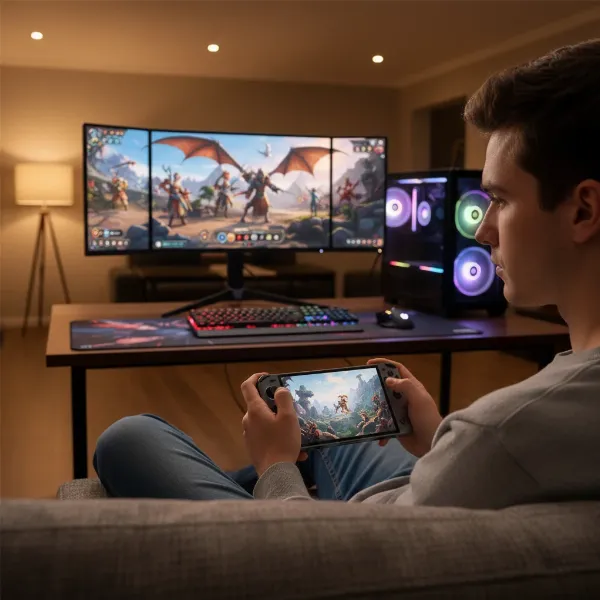
For over a decade, handheld game consoles have captivated players, evolving from simple devices into powerful machines capable of running complex AAA titles on the go. This extensive guide dives into whether a handheld console is the right investment for you, exploring their evolution, popular models, and what truly makes them shine.
What is a Handheld Game Console?
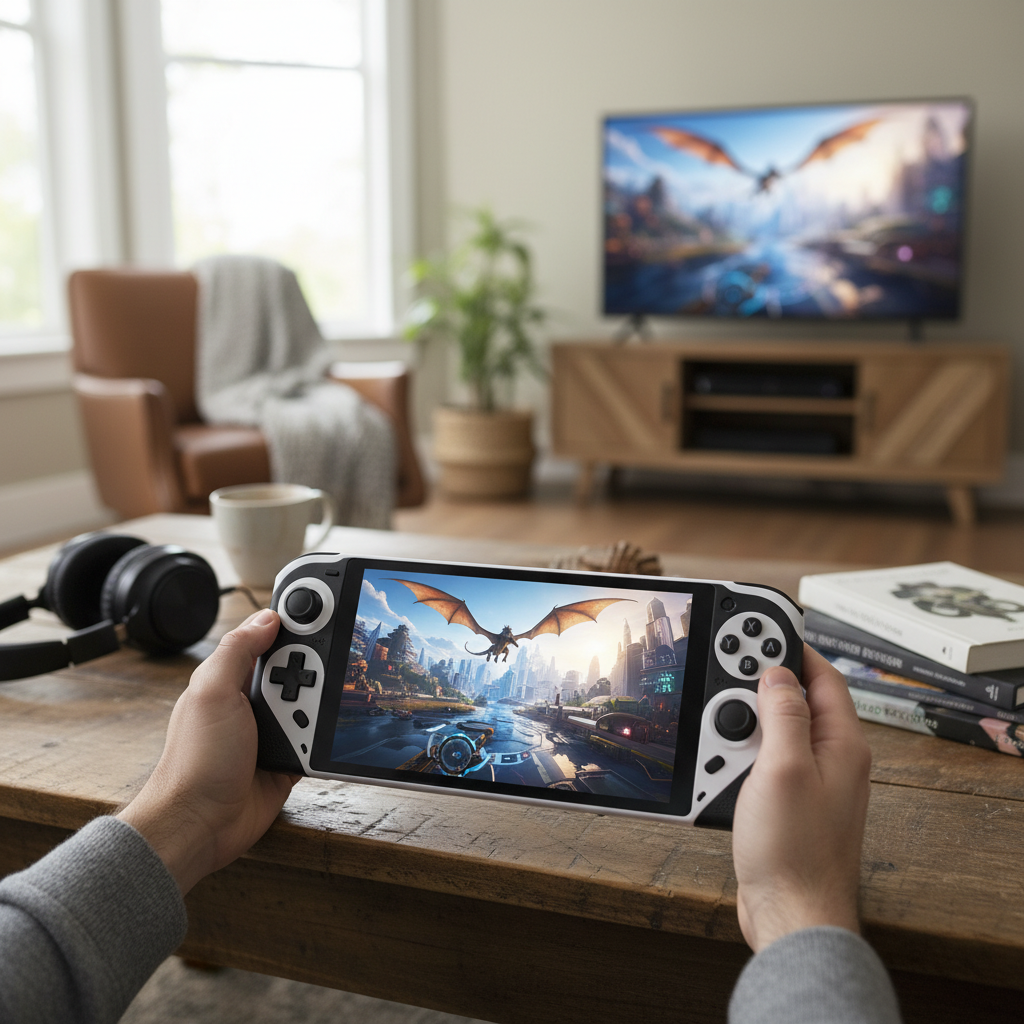
A handheld game console is a compact, self-contained electronic device designed exclusively for playing video games, featuring a built-in screen, game controls, and speakers. Unlike traditional home consoles that connect to a television, handhelds integrate all components into a single unit, offering unparalleled portability. This design allows gamers to enjoy their favorite titles virtually anywhere, transforming commutes, lunch breaks, or quiet evenings into immersive gaming sessions.
The journey of handheld consoles began in the late 1970s with simple electronic games like Mattel’s Auto Race (1976). A significant leap occurred with the Milton Bradley Microvision in 1979, which pioneered interchangeable game cartridges, paving the way for more diverse gaming experiences. Nintendo truly popularized the concept with the Game Boy in 1989, establishing a market that has since seen continuous innovation, from touchscreens and dual displays to powerful handheld PCs capable of running vast game libraries.
Why Choose a Handheld Game Console?
Handheld game consoles offer a unique blend of convenience and dedicated gaming experiences, making them appealing to a broad audience. However, like any technology, they come with their own set of trade-offs.
Advantages:
- Portability and Convenience: The primary draw of handheld consoles is the freedom to play games anywhere. Whether you’re on a train, relaxing in bed, or waiting at an airport, these devices fit easily into bags, making gaming accessible beyond your living room.
- Dedicated Gaming Experience: Unlike smartphones that juggle multiple functions, handhelds are purpose-built for gaming. This means optimized controls, robust hardware, and a focused interface designed to deliver an uninterrupted and immersive gaming session. Physical buttons and ergonomic designs often provide a superior control experience compared to touchscreens.
- Exclusive Game Libraries: Many handheld platforms, especially those from established brands like Nintendo, boast exclusive titles and beloved franchises unavailable on other devices. This curated content can be a major draw for fans seeking unique experiences.
- Versatility: Modern handhelds, particularly hybrid consoles like the Nintendo Switch or powerful handheld PCs like the Steam Deck, offer versatile play modes. They can transition seamlessly from portable gaming to a docked experience on a larger TV, blurring the lines between mobile and home console gaming.
|
Our Picks for the Best Handheld game console in 2026
As an Amazon Associate I earn from qualifying purchases.
|
||
| Num | Product | Action |
|---|---|---|
| 1 | R36MAX Handheld Game Console - 4.0-Inch Screen, Support 22000+Classic Games,128G TF Card,Portable Console with Open Source System,4000mAh Battery,Birthday Gift for Adult or Partner - Black |

|
| 2 | RG56PRO Retro Handheld Game Console - 5.5 Inch IPS Screen,31000+ Classic 3D Games,5000mAh Battery, Open Linux System,Portable Console with 128G TF Card - Birthday Gift for Boyfriend (Black) |
|
| 3 | 32 Bit Handheld Games for Kids Preloaded 139 Video Games, Portable Video Gaming Player with 3.0" IPS Screen and Rechargeable Battery, Mini Travel Games Electronic Gifts Toys for Boys Girls, Blue |
|
| 4 | R36MAX Retro Handheld Game Console, 4.0 Inch 720x720 IPS Screen, 64GB Built-in 18,000+ Classic Game, Portable Hand Held Open Source Linux System, 4000mAh Battery Retro Gaming Console(White 64GB) |
|
| 5 | Handheld Game for Kids -Preloaded 220 Retro Video Games, Portable Gaming Player with Rechargeable Battery 3.0" LCD Screen, Mini Arcade Electronic Toy Gifts for Boys Girls (Red) |
|
| 6 | R36MAX Retro Handheld Game Console, 4.0 Inch 720x720 IPS Screen, 64GB Built-in 18,000+ Classic Game, Portable Hand Held Open Source Linux System, 4000mAh Battery Retro Gaming Console(Black 64GB) |
|
| 7 | Retro Handheld Game Console of Boy Portable Hand Held Video Games X9 Preloaded Wireless Juegos para Niños Stick TV Pixel Gaming for Kids Sf3000 Plug 'n' Play Drive Systems De Juegos Portátil |
|
| 8 | ASUS ROG Xbox Ally – 7” 1080p 120Hz Touchscreen Gaming Handheld, 3-month Xbox Game Pass Premium included, AMD Ryzen Z2 A, 16GB RAM, 512GB SSD, White |
|
| 9 | Handheld Game for Kids -Preloaded 220 Retro Video Games, Portable Gaming Player with Rechargeable Battery 3.0" LCD Screen, Mini Arcade Electronic Toy Gifts for Boys Girls (Blue) |
|
| 10 | R36MAX Retro Handheld Game Console, 4.0 Inch IPS HD Screen Portable Retro Gaming Console, 1.5GHz CPU Support 30+ Emulator Console Video Game Console, 4000mAh Battery (64GB Black) |
|
Disadvantages:
- Potentially Higher Cost: While some retro-focused handhelds are affordable, modern high-performance devices, especially handheld PCs, can come with a significant price tag, often comparable to or exceeding that of traditional home consoles.
- Limited Performance Compared to PCs/Home Consoles: Due to their compact size and thermal constraints, handheld consoles generally cannot match the raw processing power and graphical fidelity of high-end gaming PCs or current-generation home consoles. This might mean playing games at lower resolutions, frame rates, or graphical settings.
- Battery Life Concerns: Running demanding games on a portable device inherently strains battery life. While advancements in power efficiency and larger batteries have been made, intensive gaming sessions can still deplete a charge quickly, often requiring users to carry power banks for extended play.
- Ergonomics and Screen Size: While designed for portability, some handhelds can feel bulky or uncomfortable during long play sessions, especially for users with larger hands. Additionally, smaller screens, though portable, might not offer the same immersive visual experience as a large monitor or TV, and text can be challenging to read in certain games.
Popular Handheld Game Console Types
The handheld gaming market has diversified significantly, offering a range of devices catering to different preferences, from dedicated systems for modern AAA titles to retro emulation powerhouses.
Nintendo Switch
The Nintendo Switch is a pioneering hybrid console, known for its unique ability to transition between handheld, tabletop, and TV modes. The Nintendo Switch OLED model enhances this experience with a vibrant 7-inch OLED display, improved audio, and a sturdier kickstand, making games like The Legend of Zelda and Mario Kart look spectacular. Its Joy-Con controllers detach, offering flexible multiplayer options. The Nintendo Switch Lite is a more compact, purely handheld version, ideal for on-the-go gaming with a focus on portability and a lower price point. The upcoming Nintendo Switch 2 promises significant performance upgrades, a larger display, and enhanced battery life, building on the success of its predecessors.
Steam Deck
Valve’s Steam Deck brought PC gaming to the handheld form factor, running SteamOS (a Linux-based operating system with Proton compatibility layer) and offering access to a massive library of Steam games. The Steam Deck OLED boasts an improved OLED screen, better battery life, and reduced weight compared to the original, providing a truly immersive portable PC gaming experience. Its comprehensive controls, including dual trackpads and customizable back paddles, make it suitable for a wide variety of PC titles, from indie gems to demanding AAA games.
AYANEO
AYANEO is known for its premium, high-performance Windows-based handheld PCs that often feature powerful AMD Ryzen processors and stunning bezel-less displays. Models like the AYANEO 2S combine a beautiful design with impressive power, capable of running modern AAA games smoothly. Their devices prioritize ergonomics and a premium feel, often featuring LED analog sticks and comfortable grip designs. AYANEO also offers unique form factors, such as the AYANEO Pocket DMG, which emulates classic Game Boy aesthetics while packing enough power for Switch emulation.
Other Notable Handhelds:
- ASUS ROG Ally: A strong competitor to the Steam Deck, the ROG Ally runs Windows 11, offering full compatibility with PC game libraries and services like Xbox Game Pass. It features impressive power output, a 120Hz refresh rate display, and robust ergonomics, although some users find its battery life average. The ROG Ally X further refines this with more RAM, a larger battery, and improved ports.
- Lenovo Legion Go: This high-end Windows handheld stands out with an impressive 8.8-inch QHD+ display and detachable Joy-Con-like controllers, offering immense versatility. Its kickstand and “FPS mode” (which turns one controller into a vertical mouse) provide unique ways to play, though its size makes it less pocketable.
- Retroid Pocket Series: These Android-based handhelds focus heavily on retro emulation, offering excellent performance for older console generations (up to PS2, GameCube, and even some Switch titles) at a very reasonable price. Devices like the Retroid Pocket 4 Pro combine a high-quality display, good battery life, and easy setup, making them popular among retro gaming enthusiasts.
- Anbernic & Powkiddy: These brands offer a wide array of budget-friendly retro handhelds, often running custom Linux distributions or Android. They come in various form factors (vertical, horizontal, clamshell) and are popular for emulating classic systems like NES, SNES, Game Boy, and PlayStation 1, providing great value for nostalgia seekers.
- Analogue Pocket: A premium device for retro enthusiasts, the Analogue Pocket uses FPGA technology to accurately replicate the hardware of classic handhelds (Game Boy, Game Boy Color, Game Boy Advance) without emulation, providing an authentic experience. With adapters, it can also play Game Gear, Neo Geo Pocket, and Atari Lynx cartridges.
- Evercade EXP: This handheld champions physical media, playing games via collectible ROM cartridges. It comes pre-loaded with classic titles and offers a unique way to experience retro gaming, including a TATE mode for vertical shooters.
- Logitech G Cloud: A cloud-streaming-focused handheld, this device boasts a large, bright screen and excellent battery life, making it ideal for streaming games from services like Xbox Game Pass Cloud Gaming, GeForce Now, or local PC streaming. Its value proposition has increased with recent price reductions.
- Playdate: A quirky and innovative handheld with a monochrome screen and a mechanical crank, offering unique indie game experiences through seasonal releases. It’s a niche device that celebrates creativity and novel gameplay mechanics.
Comparison of Popular Handheld Game Consoles
Choosing the right handheld can be challenging given the diverse options. Here’s a comparison of key models across important criteria to help you decide:
| Feature | Nintendo Switch 2 (Expected) | Steam Deck OLED | ASUS ROG Ally X | AYANEO 2S | Retroid Pocket 4 Pro |
|---|---|---|---|---|---|
| CPU | Custom NVIDIA SoC | AMD Zen 2 (4-core/8-thread) | AMD Ryzen AI Z2 Extreme | AMD Ryzen 7 7840U | MediaTek Dimensity 1100 |
| GPU | Custom NVIDIA GPU | AMD RDNA 2 (8 CUs) | AMD RDNA 3 (12 CUs) | AMD RDNA 3 | ARM Mali-G77 MC9 |
| RAM | ~12-16GB LPDDR5X | 16GB LPDDR5 | 24GB LPDDR5X | 16GB/32GB LPDDR5X | 8GB LPDDR4X |
| Storage | 256GB Internal, microSD slot | 512GB/1TB NVMe SSD, microSD slot | 1TB NVMe SSD, microSD slot | 512GB/1TB/2TB NVMe SSD, microSD | 128GB UFS, microSD slot |
| Display | Larger OLED, likely 1080p, 120Hz | 7.4-inch OLED, 1280×800, 90Hz | 7-inch IPS, 1080p, 120Hz VRR | 7-inch IPS, 1920×1200 | 4.7-inch IPS, 750p (1334×750) |
| Battery | Improved, longer life | 50Wh, ~6-8 hours | 80Wh, ~3-6 hours | 50.25Wh, ~3-6 hours | 5000mAh, ~6-8 hours |
| Operating System | Proprietary Nintendo OS | SteamOS (Linux) | Windows 11 Home | Windows 11 Home | Android 13 |
| Game Library | Nintendo exclusives, Switch 1 backwards compatible, new titles | Steam library (PC games), emulation | PC games (Steam, Xbox Game Pass, Epic, etc.), emulation | PC games (Steam, Xbox Game Pass, Epic, etc.), emulation | Android games, extensive retro emulation |
| Price (approx.) | ~$399-$449 (estimated) | $549 – $649 | $799 – $999 | $699 – $1299 | $175 – $199 |
| Key Strength | Exclusive titles, hybrid flexibility | Vast PC library, integrated ecosystem, great value | High performance, Windows flexibility, VRR display | Premium build, powerful hardware, ergonomic design | Affordable, excellent retro emulation, portable |
Note: Specifications and prices are approximate and subject to change, especially for unreleased or new models.
Buying Guide: How to Choose a Handheld Game Console
Selecting the perfect handheld game console involves a careful consideration of your gaming habits, preferences, and budget. With a market as diverse as today’s, pinpointing what matters most will lead you to the right device.
Determine Your Usage Needs:
- What games do you want to play? This is perhaps the most crucial question. If you’re keen on Nintendo’s exclusive franchises like Zelda or Mario, a Nintendo Switch (or the upcoming Switch 2) is your only option. For a vast library of PC games, the Steam Deck, ROG Ally, or AYANEO devices are better suited. If retro gaming and emulation are your priority, then a Retroid Pocket or Analogue Pocket might be ideal. Some handhelds excel at AAA titles, while others are perfect for indie games or classic retro experiences.
- What level of performance do you need? If cutting-edge graphics and high frame rates are paramount, focus on powerful handheld PCs with robust CPUs and GPUs. However, if you prioritize battery life and don’t mind lower graphical settings, more efficient devices like the Nintendo Switch or dedicated retro handhelds will suffice. It’s often a trade-off between raw power and extended playtime.
- How important is portability? Compact devices like the Nintendo Switch Lite or the smaller Retroid Pocket models are designed for ultimate portability, fitting easily into most bags. Larger handheld PCs, while powerful, might require their own carrying cases and can feel substantial during extended use. Consider where you’ll primarily be playing—at home, during commutes, or on long journeys.
- What is your budget? Handheld consoles range widely in price, from under $100 for basic retro emulation devices to over $1000 for premium handheld PCs. Define your budget early to narrow down your options and avoid overspending on features you don’t need.
Key Factors to Consider:
- Performance (CPU, GPU, RAM): These specifications dictate how well games run. More demanding modern titles require higher-end processors and ample RAM. For retro emulation, less powerful (and often more affordable) hardware is usually sufficient.
- Display (Size, Resolution, Refresh Rate, Panel Type): The screen is your window to the game. Consider size for immersion vs. portability. A 1080p resolution is often a sweet spot for handhelds, offering sharpness without excessively draining battery. Higher refresh rates (e.g., 120Hz) provide smoother visuals but consume more power. OLED screens offer superior contrast and vibrant colors compared to IPS LCDs, enhancing the visual experience significantly.
- Battery Life: High-end handhelds might offer 2-3 hours of intense AAA gaming, while more efficient systems or those playing less demanding titles can last 4-8 hours or more. If you frequently game away from a power source, longer battery life or the willingness to carry a power bank is crucial.
- Game Library & Ecosystem: Look into the available games and how you acquire them. Some platforms have exclusive titles, while others offer access to vast digital storefronts like Steam or provide excellent emulation capabilities for classic games. Consider whether you prefer physical cartridges or digital downloads.
- Operating System: Nintendo uses its proprietary OS, offering a streamlined, plug-and-play experience. Devices like the Steam Deck run SteamOS (Linux-based), which is optimized for gaming but can require some tinkering for non-Steam titles. Windows handhelds provide full PC compatibility but might have driver quirks and a less console-like interface. Android handhelds offer access to mobile games and a wide range of emulators.
- Ergonomics: Comfort is key for long gaming sessions. Pay attention to the device’s weight, button placement, grip design, and overall feel in your hands. Features like customizable controls, back paddles, or trackpads can enhance usability.
“When choosing a handheld, don’t just chase the most powerful specs. Prioritize the games you want to play and how you want to play them. The best handheld is the one that fits seamlessly into your lifestyle and brings you the most joy.” – Admin, ReviewGeri.com
Top Picks: Most Recommended Handheld Game Consoles Today
The handheld market is rich with impressive devices, each excelling in different areas. Here are some top recommendations based on current offerings and anticipated releases:
- Best Overall / Hybrid: Nintendo Switch 2 (Expected 2025). While unreleased, the anticipation for a more powerful, larger-screened Switch with improved battery life and backward compatibility makes it a strong contender for the best all-around experience, bridging casual and more demanding gaming.
- Best for PC Games & Value: Steam Deck OLED. This device offers exceptional value for PC gamers, providing access to a massive Steam library with a stunning OLED display and solid performance. Its integrated ecosystem makes it a relatively seamless experience for a handheld PC.
- Best for High-Performance Windows Gaming: ASUS ROG Ally X. For those who demand top-tier performance to run the latest AAA PC games directly on Windows, the ROG Ally X delivers with powerful hardware, a high-refresh-rate VRR display, and substantial battery improvements over its predecessor.
- Best for Retro Emulation: Retroid Pocket 4 Pro. Combining affordability with impressive emulation capabilities (up to PS2 and GameCube), a good screen, and long battery life, this Android-based device is a favorite among retro gaming enthusiasts looking to revisit classics.
- Best Premium/Boutique Handheld PC: AYANEO 2S. If budget is less of a concern and you seek a premium build, powerful AMD Ryzen performance, and a sleek, ergonomic design for a Windows handheld PC, the AYANEO 2S offers a refined gaming experience.
Tips and Tricks for Using Your Handheld Game Console
Maximizing your handheld gaming experience goes beyond just picking the right device. Here are some essential tips for optimizing performance, managing your games, and extending battery life.
Optimize Performance and Battery Life:
- Adjust Screen Brightness: The display is often the biggest power consumer. Lowering brightness significantly can extend playtime without heavily impacting the gaming experience, especially indoors.
- Enable Power-Saving Modes: Many handhelds offer performance profiles. Switching to a balanced or power-saving mode reduces strain on the CPU/GPU, conserving battery.
- Disable Unnecessary Features: Turn off Wi-Fi and Bluetooth when playing offline. Disable haptic feedback or controller vibration if you don’t rely on them, as these can drain power quickly.
- Close Background Applications: Just like smartphones, background apps consume resources. Ensure you close any unused applications before starting a game to free up power for your primary activity.
- Manage In-Game Settings: For powerful handheld PCs, lowering graphical settings (resolution, texture quality, shadows) can dramatically improve frame rates and extend battery life, allowing for longer sessions on demanding titles.
- Keep Your Device Cool: Excessive heat degrades battery efficiency. Avoid playing in hot environments and ensure vents are clear to prevent overheating.
- Smart Charging Habits: Avoid frequently fully draining your battery or leaving it plugged in at 100% for extended periods. Aim to charge when the battery reaches 20-30% and, if available, utilize features like charge limits (e.g., stopping at 80-90% when docked) to prolong battery health.
- Update Firmware Regularly: Manufacturers often release updates that include battery efficiency improvements and performance optimizations.
Game Installation and Management:
- Utilize External Storage: Many handhelds support microSD cards. Invest in a high-capacity, fast card to expand your game library, especially for larger AAA titles or extensive retro ROM collections.
- Organize Your Library: Use the device’s native interface or third-party launchers (like EmulationStation for retro handhelds, or Playnite for Windows devices) to organize your games, making it easier to find and launch titles.
- Backup Your Saves: Regularly back up your game saves, especially for emulated titles or systems without cloud save features. This prevents data loss in case of device issues.
Connecting to External Devices:
- Docking Stations: For hybrid consoles (like Nintendo Switch) or handheld PCs (Steam Deck, ROG Ally), a docking station allows you to connect to a TV or monitor, transforming your portable device into a home console experience. These often include multiple USB ports for controllers, Ethernet for stable online play, and passthrough charging.
- Bluetooth Peripherals: Connect Bluetooth controllers, headphones, or even keyboards and mice for enhanced gaming or productivity, depending on your device’s capabilities.
- Wired Connections: When playing near a power source, consider using a USB-C cable for charging and to potentially reduce input latency with compatible wired controllers.
Essential Handheld Game Console Accessories
Enhancing your handheld gaming experience often involves a few key accessories that boost protection, comfort, and functionality.
- Protective Carrying Case: An absolute must-have. A sturdy case protects your device from drops, scratches, and accidental button presses during travel. Many are custom-designed for specific consoles, offering snug fits and additional storage for cables or games.
- Screen Protector: A tempered glass screen protector is a small investment that provides significant protection against scratches and cracks, preserving your display’s pristine condition.
- High-Capacity microSD Card: Essential for expanding storage, especially for digital game libraries, retro ROMs, or large modern titles. Opt for a fast, reputable brand to ensure smooth game loading.
- Portable Power Bank: For extended gaming sessions away from an outlet, a power bank with sufficient wattage (e.g., 65W or higher for handheld PCs) is crucial to keep your device charged.
- Ergonomic Grips: Some handhelds can be uncomfortable for long periods. Clip-on or integrated ergonomic grips can dramatically improve comfort and reduce hand fatigue.
- Docking Station / USB-C Hub: For devices that support external display output, a docking station or USB-C hub allows you to connect to a TV, external monitor, wired controllers, and other peripherals, transforming your handheld into a versatile entertainment system.
- External Controller: While handhelds have built-in controls, some gamers prefer the feel of a full-sized external controller, especially for docked play or competitive games.
- Wired or Wireless Headphones/Earbuds: For immersive audio without disturbing others, quality headphones are vital. Wired options can also help conserve battery compared to Bluetooth alternatives.
- Travel Charger: A compact, fast USB-C charger is convenient for quickly topping up your device while on the go.
Conclusion
The handheld game console market is vibrant and diverse, offering compelling options for every type of gamer. From the unparalleled versatility of the Nintendo Switch, allowing seamless transitions between home and portable play, to the raw power of handheld PCs like the Steam Deck and ASUS ROG Ally, bringing vast PC libraries to your fingertips, and the nostalgic charm of dedicated retro emulation devices, there’s a handheld designed to meet specific needs and preferences.
Ultimately, whether a handheld game console is worth it comes down to your individual gaming lifestyle, the types of games you enjoy, and your priorities for portability, performance, and budget. By carefully considering these factors, you can select a device that not only provides countless hours of entertainment but also seamlessly integrates into your daily routine.
What kind of gaming adventures will your next handheld unlock?
Frequently Asked Questions
Can handheld game consoles replace a traditional home console or PC?
For many, modern handheld PCs like the Steam Deck or ROG Ally can serve as a primary gaming device, especially for players who prioritize portability or have limited space. However, they generally don’t match the absolute highest graphical fidelity or performance benchmarks of top-tier desktop PCs or dedicated home consoles.
Are handheld game consoles good for competitive gaming?
Some handheld consoles, particularly those with high refresh rate screens and robust controls like the ASUS ROG Ally X, can be suitable for competitive gaming, especially when docked and paired with external peripherals. However, for the most demanding competitive titles, a dedicated gaming PC or home console often provides a performance advantage and a larger display for better visibility.
How do handheld game consoles compare to mobile phone gaming?
Handheld game consoles typically offer a superior dedicated gaming experience compared to mobile phones. They feature physical controls, more robust cooling, and specialized hardware optimized for games, often with exclusive titles. Mobile phones, while convenient, rely on touchscreen controls (which can be less precise for complex games), share battery life with other phone functions, and generally have a library focused more on casual or free-to-play titles with in-app purchases.
What is the average battery life for a modern handheld game console?
Battery life varies significantly depending on the device and the games being played. High-performance handheld PCs running demanding AAA titles might offer 2-4 hours of playtime. More efficient systems or those playing less graphically intensive games (like retro emulators or indie titles) can last 5-8 hours or more on a single charge.
Is it possible to upgrade parts of a handheld game console?
Generally, most handheld consoles are not designed for user upgrades beyond expanding storage with a microSD card or, in some cases, replacing an M.2 SSD (e.g., Steam Deck, ROG Ally). CPU, GPU, and RAM are typically soldered to the motherboard and cannot be upgraded.