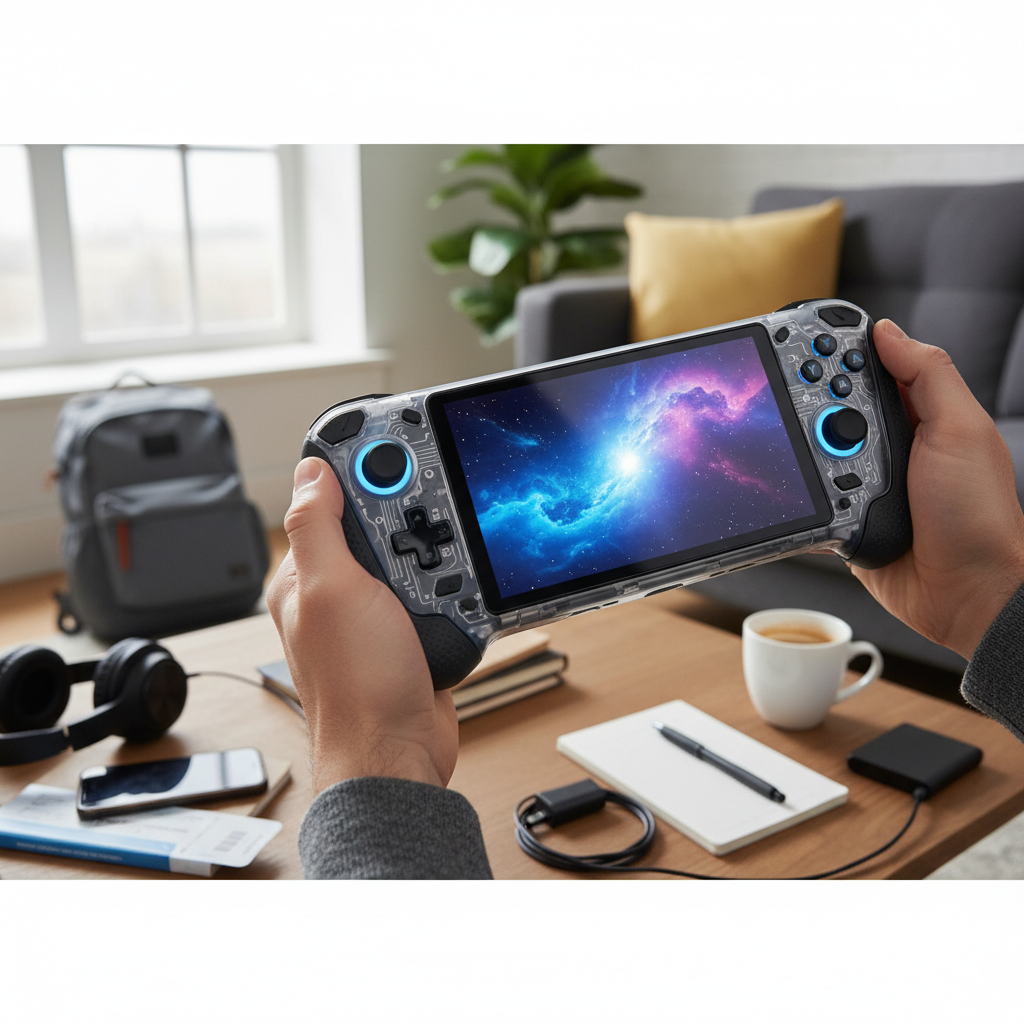
The world of gaming offers an exhilarating array of choices, making the decision between a handheld game console and a dedicated PC gaming setup more complex than ever. From high-fidelity graphics and immersive virtual reality experiences on a powerful desktop to the unparalleled freedom of gaming on the go, each platform presents unique advantages. Understanding these differences is crucial for selecting the best fit for your personal gaming style and budget. This comprehensive guide will break down the intricacies of both handheld gaming PCs and traditional desktop gaming, helping you navigate their strengths, weaknesses, and overall value in today’s dynamic gaming landscape.
What Are Handheld Gaming PCs and Desktop Gaming PCs?
At its core, gaming is about immersion and entertainment, but the devices delivering this experience vary significantly. A Handheld Gaming PC is a compact, portable device featuring an integrated screen and controls, designed to play PC games while on the move. Devices like the Steam Deck, ASUS ROG Ally, and Lenovo Legion Go exemplify this category, essentially shrinking a gaming computer into a portable form factor. These devices typically run a full PC operating system (such as Windows or a Linux-based OS like SteamOS), granting access to extensive PC game libraries from various digital storefronts.
In contrast, a Desktop Gaming PC is a stationary, high-performance computer built specifically for gaming. It comprises a tower housing powerful components like a dedicated graphics card (GPU), processor (CPU), and ample RAM, all connected to external peripherals such as a monitor, keyboard, and mouse. Desktop PCs are known for their raw power, customizability, and ability to deliver top-tier graphical fidelity and frame rates, often serving as the benchmark for cutting-edge gaming experiences.
Why Choose Handheld Gaming PCs?
Handheld gaming PCs have carved out a significant niche, offering a compelling blend of portability and performance that resonates with a broad spectrum of gamers. Their design prioritizes gaming wherever you are, be it on a commute, during travel, or simply from the comfort of your couch without being tied to a single screen.
Advantages of Handheld Gaming PCs:
- Unrivaled Portability: The primary draw of handhelds is their ability to bring a substantial PC game library with you. This freedom allows for gaming during commutes, flights, or simply switching positions around your home without interrupting your session.
- Access to PC Game Libraries: Unlike traditional consoles with curated storefronts, modern handheld gaming PCs run full PC operating systems, providing access to a massive universe of titles from platforms like Steam, Epic Games Store, GOG, and more. This opens up a vast back catalog of games and new releases.
- Dedicated Mobile Gaming Experience: These devices are ergonomically designed for comfortable handheld play, integrating controls directly into the unit. This offers a more cohesive and dedicated gaming experience compared to trying to game on a tablet or smartphone.
- Versatility with Docking: Many handheld gaming PCs can connect to external displays, transforming into a more traditional console-like experience when docked to a TV, often supporting higher resolutions and external controllers.
|
Our Picks for the Best Handheld game console in 2026
As an Amazon Associate I earn from qualifying purchases.
|
||
| Num | Product | Action |
|---|---|---|
| 1 | Handheld Game for Kids -Preloaded 220 Retro Video Games, Portable Gaming Player with Rechargeable Battery 3.0" LCD Screen, Mini Arcade Electronic Toy Gifts for Boys Girls (Blue) |

|
| 2 | R36MAX Retro Handheld Game Console, 4.0 Inch 720x720 IPS Screen, 64GB Built-in 18,000+ Classic Game, Portable Hand Held Open Source Linux System, 4000mAh Battery Retro Gaming Console(Black 64GB) |
|
| 3 | R36MAX Handheld Game Console - 4.0-Inch Screen, Support 22000+Classic Games,128G TF Card,Portable Console with Open Source System,4000mAh Battery,Birthday Gift for Adult or Partner - Black |
|
| 4 | ASUS ROG Xbox Ally – 7” 1080p 120Hz Touchscreen Gaming Handheld, 3-month Xbox Game Pass Premium included, AMD Ryzen Z2 A, 16GB RAM, 512GB SSD, White |
|
| 5 | Retro Handheld Game Console of Boy Portable Hand Held Video Games X9 Preloaded Wireless Juegos para Niños Stick TV Pixel Gaming for Kids Sf3000 Plug 'n' Play Drive Systems De Juegos Portátil |
|
| 6 | RG56PRO Retro Handheld Game Console - 5.5 Inch IPS Screen,31000+ Classic 3D Games,5000mAh Battery, Open Linux System,Portable Console with 128G TF Card - Birthday Gift for Boyfriend (Black) |
|
| 7 | R36MAX Retro Handheld Game Console, 4.0 Inch 720x720 IPS Screen, 64GB Built-in 18,000+ Classic Game, Portable Hand Held Open Source Linux System, 4000mAh Battery Retro Gaming Console(White 64GB) |
|
| 8 | Handheld Game for Kids -Preloaded 220 Retro Video Games, Portable Gaming Player with Rechargeable Battery 3.0" LCD Screen, Mini Arcade Electronic Toy Gifts for Boys Girls (Red) |
|
| 9 | 32 Bit Handheld Games for Kids Preloaded 139 Video Games, Portable Video Gaming Player with 3.0" IPS Screen and Rechargeable Battery, Mini Travel Games Electronic Gifts Toys for Boys Girls, Blue |
|
| 10 | R36MAX Retro Handheld Game Console, 4.0 Inch IPS HD Screen Portable Retro Gaming Console, 1.5GHz CPU Support 30+ Emulator Console Video Game Console, 4000mAh Battery (64GB Black) |
|
Disadvantages of Handheld Gaming PCs:
- Performance Limitations: While impressive for their size, handheld gaming PCs generally cannot match the raw power of a high-end desktop PC. They may struggle to run the most demanding AAA titles at high settings or resolutions, often requiring graphical compromises and relying on upscaling technologies.
- Battery Life Concerns: Intense gaming sessions, especially with graphically demanding titles, can drain batteries quickly. Typical playtime often ranges from 2-3 hours for AAA games, limiting extended gaming away from a power source.
- Limited Upgradeability: Handheld gaming PCs are largely closed systems, meaning component upgrades are usually impossible or highly restricted. You’re essentially buying a fixed set of hardware for its lifespan.
- Potential for Thermal Throttling: Due to their compact design, handhelds can experience thermal limitations, which might lead to reduced sustained performance during long gaming sessions to prevent overheating.
Why Choose Desktop Gaming PCs?
Desktop gaming PCs represent the pinnacle of performance and customization in the gaming world. They are built for those who prioritize graphical fidelity, high frame rates, and the ability to tailor their gaming experience down to the finest detail.
Advantages of Desktop Gaming PCs:
- Unmatched Performance: Desktop PCs offer superior raw power, capable of running the latest AAA games at 4K resolutions, ultra-high frame rates, and with advanced graphical features like ray tracing. This translates to the most visually stunning and responsive gaming experiences available.
- Exceptional Upgradeability: A significant advantage of desktop PCs is their modularity. Components like the GPU, CPU, RAM, and storage can be easily upgraded over time, allowing gamers to keep their system current with evolving technology without needing to purchase an entirely new machine.
- Vast and Diverse Game Library: PC gaming boasts the largest and most diverse game library, encompassing everything from cutting-edge blockbusters to niche indie titles, classic retro games, and a wealth of free-to-play options. PC storefronts also frequently offer deep discounts and bundles, making game acquisition more affordable in the long run.
- Precision Control and Peripherals: For many genres, especially first-person shooters and strategy games, the combination of a keyboard and mouse offers unparalleled precision and customization. Desktop PCs also support a wide array of specialized gaming peripherals, including advanced joysticks, racing wheels, and VR headsets.
- Multipurpose Functionality: Beyond gaming, a powerful desktop PC serves as a versatile workstation for productivity, content creation, video editing, streaming, and other demanding tasks, offering a comprehensive computing solution.
Disadvantages of Desktop Gaming PCs:
- Lack of Portability: Desktop PCs are inherently stationary, requiring a dedicated space and connection to a power source and external display. This means gaming is confined to a single location.
- Higher Initial Cost: Building or buying a high-end gaming PC can involve a substantial initial investment, often significantly more than a handheld console or even some entry-level gaming PCs, especially when factoring in the cost of a monitor, keyboard, mouse, and other peripherals.
- Space Requirements: A desktop setup demands considerable physical space for the tower, monitor(s), and peripherals, which can be a limiting factor for some users.
- Setup and Maintenance Complexity: While offering immense flexibility, desktop PCs can be more complex to set up, troubleshoot, and maintain compared to the plug-and-play nature of consoles. This includes managing drivers, software updates, and hardware compatibility.
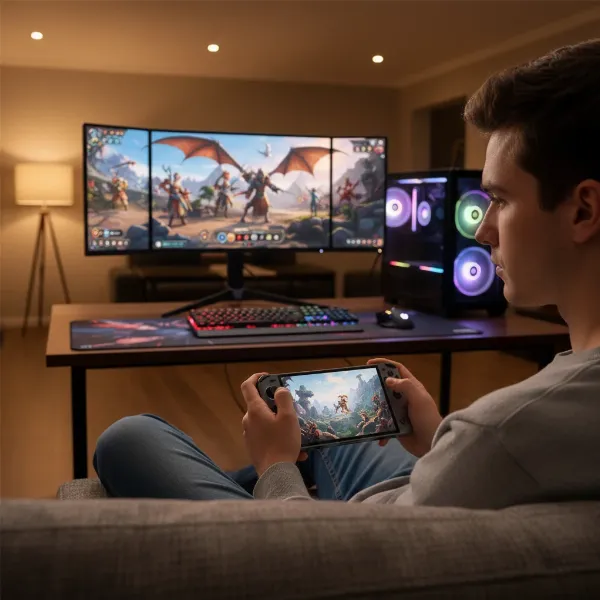 A person playing on a handheld gaming PC like Steam Deck or ROG Ally, with a desktop PC setup in the background, illustrating the contrast between portable and stationary gaming.
Performance: Handheld Game Console vs. PC Gaming
When it comes to raw processing power and graphical capabilities, desktop gaming PCs generally hold a distinct advantage over handheld gaming PCs. Desktop systems can accommodate larger, more powerful components with greater thermal headroom, allowing them to push graphics to their limits. A high-end gaming PC can sustain 4K resolution with ray tracing and consistently achieve very high frame rates in demanding titles.
Handheld gaming PCs, constrained by their compact size and battery life, operate within stricter thermal and power budgets. Devices like the Steam Deck OLED often deliver gameplay at 720p to 1080p resolution, targeting 30-60 frames per second in many modern games. They frequently utilize upscaling technologies, such as AMD’s FidelityFX Super Resolution (FSR), to maintain playable frame rates by rendering at a lower resolution and then intelligently enhancing the image. While impressive for a portable device, this means a handheld will typically require graphical settings to be lowered compared to a desktop PC to achieve a smooth experience. Some high-end handhelds, like the ASUS ROG Ally Z1 Extreme, can approach the performance level of a home console like the Xbox Series S when docked, but they still fall short of what a top-tier desktop gaming PC can achieve.
Portability & Flexibility
This is arguably the most straightforward point of comparison, with handheld gaming PCs designed specifically to excel in portability. Their all-in-one design, featuring integrated screens and controls, allows you to game anywhere there’s space, from a park bench to a living room couch. This freedom from a fixed location is the cornerstone of their appeal.
Desktop gaming PCs, by nature, are stationary. They offer superb flexibility in terms of display options, supporting multiple high-resolution, high-refresh-rate monitors, and can be easily integrated into a home theater setup. However, the entire system—tower, monitor(s), keyboard, mouse—must remain in one place. While game streaming services or dedicated streaming setups (like Steam Link) can allow a desktop PC to stream games to a handheld or TV, the core gaming machine itself remains fixed. The ability of modern handhelds to dock and connect to external displays adds a layer of flexibility, allowing them to switch between a portable and a home-console-like experience, something a desktop PC cannot natively replicate.
Game Library & Exclusives
The PC gaming ecosystem offers an unparalleled breadth and depth of games. With multiple digital storefronts (Steam, Epic Games Store, GOG, Itch.io) and a rich history, PC gamers have access to thousands of titles, from the latest AAA blockbusters and innovative indie gems to a vast archive of retro classics. PC games are also frequently available at significant discounts through sales, bundles, and free giveaways, often making the software cost lower over time compared to console ecosystems.
Handheld gaming PCs, particularly those running Windows or SteamOS, directly tap into this immense PC library. This is a key differentiator from traditional handheld consoles like the Nintendo Switch, which have their own exclusive game libraries. Handheld PCs bring the expansive world of PC gaming into a portable format, meaning you often aren’t limited by platform-specific exclusives, barring a few console-only titles. This direct access to an open PC library, combined with frequent sales, ensures that handheld PC gamers have a continuously growing and affordable collection of games at their fingertips.
Cost & Upgradeability
The cost comparison between handheld gaming PCs and desktop gaming PCs is multifaceted, encompassing initial purchase price, game acquisition costs, and the potential for future upgrades.
Initial Investment: Handheld gaming PCs typically range from $400 for entry-level models (like some Steam Deck configurations) to over $1,200 for high-end Windows-based devices (such as the ASUS ROG Ally or Lenovo Legion Go). These prices usually include the screen and integrated controls. Desktop gaming PCs, conversely, can start from around $700-$800 for a capable entry-level build but can easily soar past $2,000 for high-performance setups, not including the additional cost of a monitor, keyboard, mouse, and other essential peripherals. When considering a complete high-end setup, a gaming PC often carries a higher initial price tag.
Long-Term Costs & Upgradeability: This is where desktop PCs shine. Their modular design allows for component upgrades. Instead of buying an entirely new system every few years, a PC gamer can upgrade individual parts (e.g., a new GPU or CPU) to extend the system’s lifespan and maintain performance with newer games. This “future-proofing” can make a desktop PC more cost-effective in the long run. Handheld gaming PCs, however, are largely non-upgradeable. When their hardware can no longer keep up with modern titles, the only option is to purchase a new device. While PC games themselves often have more aggressive sales, this software saving might not offset the fixed hardware lifespan of a handheld.
User Experience & Ecosystem
The user experience offered by handheld gaming PCs and desktop gaming PCs caters to different preferences regarding simplicity, customization, and control. Handhelds, particularly those running SteamOS, aim for a console-like, plug-and-play simplicity. Their integrated controls and optimized interfaces provide a streamlined gaming experience right out of the box, with minimal setup. However, Windows-based handhelds can sometimes inherit the complexities of a full PC, requiring driver updates and graphics adjustments, much like a traditional desktop.
Desktop gaming PCs offer an unparalleled level of customization and control. Users can fine-tune every aspect of their gaming experience, from individual graphics settings in games to system-wide overclocking. The choice of input devices (keyboard and mouse, various controllers, joysticks, VR headsets) is vast, catering to every genre and play style. The PC ecosystem also benefits from robust modding communities, expanding game content and longevity. While this level of control is a huge advantage for tech-savvy users, it can also present a steeper learning curve for newcomers. Desktop PCs also seamlessly integrate into a broader digital ecosystem, serving as a hub for both gaming and productivity.
Comparison Table: Handheld Game Console vs. PC Gaming
| Feature | Handheld Gaming PC (e.g., Steam Deck, ROG Ally) | Desktop Gaming PC |
|---|---|---|
| CPU/GPU | Integrated APUs (e.g., AMD Zen 2/3/4 + RDNA 2/3) | Dedicated, high-performance CPUs (Intel/AMD) & GPUs (Nvidia/AMD) |
| RAM | Typically 16GB LPDDR5 | 16GB – 64GB DDR4/DDR5 |
| Storage | 64GB – 1TB SSD (expandable via microSD/NVMe) | 500GB – 4TB+ NVMe SSD (expandable, multiple drives) |
| Screen | 7-10 inch, 720p-1080p, 60-120Hz (integrated) | 24-34+ inch, 1080p-4K+, 60-360+Hz (external, multiple) |
| Battery Life | 2-8 hours (2-3 hrs for AAA games) | Unlimited (when plugged in) |
| Operating System | SteamOS (Linux-based), Windows, Android | Windows, Linux |
| Price Range | $400 – $1,200+ (device only) | $700 – $3,000+ (tower only, peripherals extra) |
| Portability | Excellent (fully portable) | None (stationary) |
| Upgradeability | Limited to None | Excellent (modular components) |
| Game Access | Vast PC library (Steam, Epic, GOG) | Largest PC library (Steam, Epic, GOG, etc.) |
| Best For | Gaming on the go, casual home play, large PC backlogs | Max performance, competitive gaming, content creation |
| Ease of Use | Generally high (console-like UI) to moderate (Windows) | Moderate to high (requires some setup/maintenance) |
Buying Guide: Choosing Your Ideal Gaming Platform
Deciding between a handheld gaming PC and a desktop gaming PC ultimately hinges on your personal gaming habits, priorities, and budget. There’s no single “best” option; rather, it’s about finding the platform that aligns perfectly with your needs.
Identify Your Needs:
- What games do you want to play? For the latest AAA titles at maximum settings, a desktop PC is unmatched. For indie games, retro emulation, or less demanding AAA games on the go, a handheld excels.
- How important is portability? If you travel frequently, commute, or simply enjoy gaming in different rooms of your house, a handheld is a clear winner. If you prefer a dedicated gaming space, a desktop fits perfectly.
- What level of performance do you require? Are 4K graphics and 120+ FPS essential, or are you content with 1080p at 30-60 FPS?
- What is your budget? Consider both the initial hardware cost and long-term expenses like game purchases and potential upgrades.
- Are you comfortable with technical maintenance? Desktop PCs offer customization but demand more user involvement in terms of drivers, software, and occasional troubleshooting.
Key Factors to Consider:
- Performance: Evaluate the CPU, GPU, and RAM. A desktop will always offer more raw power for higher resolutions and frame rates.
- Screen: For handhelds, consider size, resolution, and refresh rate. For desktops, think about monitor size, panel type, resolution, and refresh rate.
- Battery Life: Critical for handhelds; determines how long you can game unplugged.
- Game Library: Both offer access to vast PC libraries, but traditional handheld consoles (like Nintendo Switch) have exclusive titles.
- Operating System: SteamOS offers a console-like experience; Windows handhelds provide full PC flexibility but can be more complex.
- Price: Balance your budget with desired performance and features.
Advice and Suggestions:
- For the Power User/Enthusiast: A Desktop Gaming PC is your best bet if you crave the highest performance, graphical fidelity, competitive frame rates, and extensive customization.
- For the Mobile Gamer/Flexible Player: A Handheld Gaming PC is ideal if portability is paramount, and you want access to your PC game library anywhere. It’s also great for those who value convenience and a dedicated mobile gaming experience.
- For Budget-Conscious Gamers: While the initial cost of a PC can be high, long-term game sales and upgradeability can offer good value. Entry-level handhelds can be affordable, but consider their fixed lifespan.
Top Picks: Recommended Gaming Platforms Today
The gaming market is rich with excellent choices across both categories. Our top recommendations highlight devices that stand out for their performance, value, or unique features.
- Best for Unmatched Performance: A Custom-Built High-End Desktop Gaming PC with the latest NVIDIA RTX 40-series or AMD Radeon RX 7000-series GPUs, coupled with a powerful Intel Core i7/i9 or AMD Ryzen 7/9 CPU. This setup delivers unparalleled 4K gaming, VR experiences, and multi-tasking capabilities.
- Best for Portable PC Gaming: The Valve Steam Deck OLED offers an incredible portable experience with its vibrant screen, excellent ergonomics, and optimized SteamOS. For those seeking more raw power in a handheld and Windows compatibility, the ASUS ROG Ally or Lenovo Legion Go are strong contenders, though they may demand more tweaking.
- Best for Entry-Level Value: An Entry-Level Desktop Gaming PC (e.g., with an AMD Ryzen 5 CPU and an NVIDIA GTX 1660 Super or AMD RX 6600 GPU) can provide solid 1080p gaming at a reasonable price, often with the benefit of future upgradeability.
Tips and Tricks for Optimizing Your Gaming Experience
Whether you choose a handheld gaming PC or a powerful desktop, a few key practices can significantly enhance your gaming sessions.
For Handheld Gaming PCs:
- Optimize Battery Life: Lower screen brightness, reduce resolution or refresh rate, and cap frame rates to extend playtime. Many handhelds offer performance profiles that prioritize battery efficiency.
- Manage Game Settings: Experiment with in-game graphics settings. Often, a slight reduction in visual quality can lead to a significant boost in frame rate and a smoother experience without drastically impacting enjoyment.
- Consider Game Streaming: If you own a powerful desktop, use game streaming (e.g., Steam Link, Moonlight) to stream games to your handheld. This leverages your desktop’s power for demanding titles while retaining the handheld’s portability, often improving battery life on the handheld itself.
- Utilize a Dock: For a home experience, docking your handheld to a monitor or TV with external controllers can transform it into a console-like setup for local multiplayer or more immersive single-player sessions.
For Desktop Gaming PCs:
- Keep Drivers Updated: Regularly update your graphics card drivers (NVIDIA GeForce Experience or AMD Adrenalin Software) for optimal performance and compatibility with new games.
- Monitor Temperatures: Ensure proper cooling by regularly cleaning dust from fans and monitoring CPU/GPU temperatures, especially during intense gaming. Overheating can lead to performance throttling.
- Customize Settings: Don’t be afraid to dive into graphical settings for each game. Fine-tuning allows you to balance visual fidelity with frame rate to suit your preferences and hardware.
- Invest in Quality Peripherals: A good gaming monitor, mechanical keyboard, and precise mouse can significantly improve your gaming performance and comfort.
Accessories for Both Platforms
Enhancing your gaming setup with the right accessories can elevate the overall experience.
For Handheld Gaming PCs:
- Protective Case: Essential for safeguarding your portable device during travel.
- High-Speed MicroSD Card/External SSD: Expands storage for more games, especially crucial for models with smaller internal storage.
- Docking Station: Allows you to connect your handheld to a TV or monitor, transforming it into a home console.
- Portable Power Bank: Extends battery life during long journeys or when away from power outlets.
- External Controller: For more comfortable play when docked or for specific games.
- Screen Protector: Guards against scratches and smudges.
For Desktop Gaming PCs:
- High-Refresh-Rate Monitor: Crucial for competitive gaming and a smoother visual experience (144Hz, 240Hz, or higher).
- Gaming Keyboard and Mouse: Ergonomic, responsive peripherals with customizable features for improved control.
- Gaming Headset: Provides immersive audio and clear communication for multiplayer games.
- External Gamepad: Ideal for genres like fighting games, racing games, or action-adventure titles.
- Ergonomic Chair: Essential for comfort during long gaming sessions.
- Cable Management Solutions: Keeps your setup tidy and improves airflow.
“The true magic of gaming isn’t just about raw power or ultimate portability, but how a platform empowers you to connect with the games you love, on your own terms.” – Alex Chen, Lead Gaming Analyst
Conclusion
The debate between handheld gaming PCs and desktop gaming PCs isn’t about one being definitively superior, but rather about aligning the platform with your unique gaming lifestyle. Handhelds offer an unparalleled sense of freedom, allowing you to carry a vast PC game library in your hands and play virtually anywhere. They represent the ultimate in portable convenience, blending PC flexibility with a console-like form factor. In contrast, desktop gaming PCs stand as titans of performance, delivering unmatched graphical fidelity, blistering frame rates, and the boundless potential of upgradability, making them the choice for those who demand the absolute best in a stationary setting.
Ultimately, your ideal gaming companion depends on whether you prioritize maximum power and future-proof customization or the unparalleled convenience of taking your games on every adventure. Which gaming platform resonates most with your vision of the perfect play?
Frequently Asked Questions
Is a Handheld Gaming PC powerful enough for modern AAA games?
Modern handheld gaming PCs can run many AAA games, but often require graphical settings to be lowered and may rely on upscaling technologies to achieve playable frame rates (typically 720p-1080p at 30-60 FPS). They generally cannot match the raw power and high fidelity of a dedicated desktop gaming PC.
Can I upgrade a Handheld Gaming PC like a Desktop PC?
No, handheld gaming PCs are generally not upgradeable in the same way as desktop PCs. Their components are integrated into a compact design, meaning you cannot easily swap out the CPU, GPU, or RAM. Storage may be expandable via microSD cards or, in some cases, internal NVMe drives.
Which offers a better value: Handheld Gaming PC or Desktop Gaming PC?
The “better value” depends on your priorities. Handheld gaming PCs can have a lower initial cost than a high-end desktop setup and offer portability. However, desktop PCs, while more expensive initially, can be upgraded over time, potentially offering better long-term value by extending their lifespan and maintaining performance for years to come.
Do Handheld Gaming PCs support external monitors and peripherals?
Yes, most modern handheld gaming PCs support docking stations or USB-C hubs that allow them to connect to external monitors, keyboards, mice, and other peripherals, essentially transforming them into a mini-desktop or console-like experience when at home.
Are PC games cheaper on a Desktop PC compared to a Handheld Gaming PC?
The cost of PC games is generally the same regardless of whether you play them on a desktop or a handheld gaming PC, as both access the same digital storefronts like Steam or Epic Games Store. PC games frequently go on sale, often making them more affordable than console titles over time.