Once considered a niche in the vast world of gaming, handheld game consoles have dramatically evolved, transforming from simple, single-game devices into powerful portable machines capable of running complex AAA titles. Today, these compact powerhouses offer a unique blend of convenience, immersion, and dedicated gaming experiences that smartphones and tablets simply can’t match. Whether you’re a seasoned gamer looking to take your PC library on the road or a casual player seeking accessible fun, understanding the diverse landscape of handheld consoles is key to finding your perfect portable companion.
What is a Handheld Game Console?
A handheld game console is a compact, portable electronic device designed primarily for playing video games. Unlike mobile phones or tablets that offer gaming as one of many functions, handheld consoles are purpose-built for gaming, featuring integrated controls, dedicated processors, and optimized operating systems. This specialized design provides a more tactile and immersive gaming experience, often with a focus on specific game libraries or advanced hardware.
The journey of handheld gaming began in 1976 with the release of Mattel’s Auto Race, followed shortly by the commercially successful Merlin in 1978. The true revolution, however, started with the Milton Bradley Microvision in 1979, the first handheld to offer interchangeable game cartridges. Nintendo truly popularized the concept with the iconic Game Boy in 1989, making portable gaming a global phenomenon. Over the decades, we’ve seen innovations like color LCD screens (Atari Lynx, 1989), touchscreens, and wireless connectivity (Nintendo DS, 2004), leading to the sophisticated devices we enjoy today, such as the Nintendo Switch and a new wave of powerful PC handhelds.
Why Choose a Handheld Game Console?
Choosing a handheld game console offers a distinct set of advantages, catering to various gaming preferences and lifestyles. These devices carve out their own space in the gaming world by prioritizing mobility and specialized play.
Advantages:
- Unmatched Portability and Convenience: The primary draw of handheld consoles is the freedom to play games anywhere, anytime. Whether on a commute, during a lunch break, or while traveling, these devices transform downtime into engaging gaming sessions. Their relatively light and compact designs ensure easy transportation, allowing you to carry a vast library of games in your bag.
- Dedicated Gaming Experience: Unlike smartphones, handhelds provide integrated physical controls, including joysticks, D-pads, and buttons, offering precision and responsiveness essential for many game genres. This dedicated design eliminates the compromises often found in touch-screen gaming, providing a more satisfying and ergonomic play.
- Exclusive Game Libraries: Many handheld consoles, particularly those from Nintendo, boast a wealth of exclusive titles that cannot be played on any other platform. Franchises like Super Mario, The Legend of Zelda, and Pokémon offer unique experiences that are a major draw for players.
- Hybrid Functionality: Modern handhelds like the Nintendo Switch excel in versatility, offering a seamless transition between portable and docked modes. This allows you to play on a small screen on the go or connect to a TV for a big-screen experience, often with multiplayer capabilities.
- Customization and Emulation: For PC-based handhelds and retro devices, the ability to customize settings, install mods, and emulate classic systems opens up immense possibilities. This allows access to massive game libraries spanning decades of gaming history.
|
Our Picks for the Best Handheld game console in 2026
As an Amazon Associate I earn from qualifying purchases.
|
||
| Num | Product | Action |
|---|---|---|
| 1 | R36MAX Handheld Game Console - 4.0-Inch Screen, Support 22000+Classic Games,128G TF Card,Portable Console with Open Source System,4000mAh Battery,Birthday Gift for Adult or Partner - Black |

|
| 2 | R36MAX Retro Handheld Game Console, 4.0 Inch 720x720 IPS Screen, 64GB Built-in 18,000+ Classic Game, Portable Hand Held Open Source Linux System, 4000mAh Battery Retro Gaming Console(Black 64GB) |
|
| 3 | Handheld Game for Kids -Preloaded 220 Retro Video Games, Portable Gaming Player with Rechargeable Battery 3.0" LCD Screen, Mini Arcade Electronic Toy Gifts for Boys Girls (Red) |
|
| 4 | R36MAX Retro Handheld Game Console, 4.0 Inch IPS HD Screen Portable Retro Gaming Console, 1.5GHz CPU Support 30+ Emulator Console Video Game Console, 4000mAh Battery (64GB Black) |
|
| 5 | R36MAX Retro Handheld Game Console, 4.0 Inch 720x720 IPS Screen, 64GB Built-in 18,000+ Classic Game, Portable Hand Held Open Source Linux System, 4000mAh Battery Retro Gaming Console(White 64GB) |
|
| 6 | Retro Handheld Game Console of Boy Portable Hand Held Video Games X9 Preloaded Wireless Juegos para Niños Stick TV Pixel Gaming for Kids Sf3000 Plug 'n' Play Drive Systems De Juegos Portátil |
|
| 7 | RG56PRO Retro Handheld Game Console - 5.5 Inch IPS Screen,31000+ Classic 3D Games,5000mAh Battery, Open Linux System,Portable Console with 128G TF Card - Birthday Gift for Boyfriend (Black) |
|
| 8 | ASUS ROG Xbox Ally – 7” 1080p 120Hz Touchscreen Gaming Handheld, 3-month Xbox Game Pass Premium included, AMD Ryzen Z2 A, 16GB RAM, 512GB SSD, White |
|
| 9 | Handheld Game for Kids -Preloaded 220 Retro Video Games, Portable Gaming Player with Rechargeable Battery 3.0" LCD Screen, Mini Arcade Electronic Toy Gifts for Boys Girls (Blue) |
|
| 10 | 32 Bit Handheld Games for Kids Preloaded 139 Video Games, Portable Video Gaming Player with 3.0" IPS Screen and Rechargeable Battery, Mini Travel Games Electronic Gifts Toys for Boys Girls, Blue |
|
Disadvantages:
- Battery Life Limitations: Despite technological advancements, powerful hardware in a compact form factor often means a reliance on battery power. Graphically intensive games can quickly drain the battery, limiting extended play sessions away from a charger.
- Performance vs. Home Consoles/PCs: While modern handhelds are incredibly capable, their performance may not always match that of high-end gaming PCs or dedicated home consoles like the PlayStation 5 or Xbox Series X. This can mean lower resolutions, frame rates, or graphical settings for certain demanding titles.
- Potential Higher Cost: High-performance PC handhelds can be significantly more expensive than traditional home consoles, placing them in a premium price bracket. Even some mainstream handhelds, while offering great value, can represent a considerable investment.
- Screen Size and Ergonomics: For some users, smaller screens might impact immersion or readability, especially in complex games. Additionally, while many are ergonomically designed, some users with larger hands might find extended play on certain compact models less comfortable.
Popular Handheld Game Consoles
The handheld gaming market is vibrant, with a range of devices catering to different tastes and budgets. From Nintendo’s family-friendly offerings to powerful PC-grade machines, there’s a handheld for every type of gamer.
Nintendo Switch
The Nintendo Switch redefined handheld gaming with its innovative hybrid design, allowing players to seamlessly switch between TV mode and portable mode. It remains incredibly popular due to its versatility and an unparalleled library of exclusive first-party titles.
- Nintendo Switch OLED: This enhanced model features a vibrant 7-inch OLED screen, offering superior contrast and richer colors compared to the original LCD model. It also boasts improved audio, a wider adjustable kickstand, and enhanced battery life. It is widely praised for providing an immersive visual experience in handheld mode.
- Nintendo Switch Lite: Designed purely for handheld play, the Switch Lite is more compact, lighter, and more affordable. It lacks detachable Joy-Cons and cannot be docked to a TV, making it an excellent choice for budget-conscious gamers or those who prioritize maximum portability.
- Nintendo Switch 2 (Upcoming): Anticipation is high for the successor to the original Switch. Expected to feature 256GB of internal storage and support for microSD Express Cards, it aims to build upon the success of its predecessor with improved performance and features.
Steam Deck
Valve’s Steam Deck brought the vast world of PC gaming into a portable form factor, quickly becoming a favorite among PC enthusiasts. It provides access to a massive library of Steam games on the go.
-
Advantages:
- Extensive Game Library: Leveraging your existing Steam library, the Steam Deck offers thousands of games, from indie darlings to many AAA titles, all optimized for portable play.
- Value for Money: Compared to other PC handhelds, the Steam Deck often offers excellent performance and features at a more accessible price point.
- OLED Model: The Steam Deck OLED boasts a brighter, more vibrant OLED display with a faster 90Hz refresh rate, significantly enhancing the visual experience over the original LCD model. It also features a refined design and improved battery life.
- Tinker-Friendly: Running SteamOS (a Linux-based operating system), the device is highly customizable, allowing users to install other launchers or even Windows, appealing to those who enjoy system tinkering.
-
Disadvantages:
- Size and Portability: The Steam Deck is notably larger and heavier than the Nintendo Switch, making it less pocketable for some users.
- Performance Variances: While powerful, some demanding AAA games might require lower settings to achieve stable frame rates compared to dedicated gaming PCs.
- SteamOS Compatibility: Not all PC games are fully optimized for SteamOS, though Valve continuously updates its compatibility database, and workarounds often exist for unsupported titles.
AYANEO
AYANEO stands at the forefront of the high-end PC handheld market, offering premium devices that combine cutting-edge hardware with sleek designs, often running a full Windows operating system.
-
Advantages:
- Superior Performance: Devices like the AYANEO Air 1S or AYANEO 2 often feature powerful AMD Ryzen processors, enabling smooth gameplay for the latest AAA titles at higher settings than some rivals.
- Premium Displays: Many AYANEO models come with high-resolution, vibrant OLED screens that offer stunning visuals.
- Compact Form Factor: Despite their power, some AYANEO models, such as the Air 1S, are remarkably smaller and lighter than the Steam Deck, rivaling the footprint of a Switch Lite.
- Windows Ecosystem: Running Windows, these devices offer immediate compatibility with a vast range of PC games and applications from various storefronts (Steam, Epic Games Store, Xbox Game Pass).
-
Disadvantages:
- High Price Tag: AYANEO consoles are typically more expensive, placing them in a premium segment of the market.
- Windows Experience: While offering full PC compatibility, navigating Windows with a gamepad and touchscreen can sometimes be less optimized than a dedicated console interface.
- Battery Life: High-performance components can lead to shorter battery life during intensive gaming sessions.
Other Handheld Options:
- Asus ROG Ally X: A top-tier Windows 11 handheld known for its powerful AMD Ryzen AI Z2 Extreme processor, VRR support, and high performance for AAA games. It boasts an improved battery and more RAM over its predecessor.
- Lenovo Legion Go S: Another Windows-based PC handheld, often praised for its large display and unique control layouts, offering a strong alternative to the Steam Deck.
- Retroid Pocket, Anbernic, Powkiddy, Super Pocket: These brands specialize in retro gaming handhelds, offering excellent emulation for classic systems like NES, SNES, Game Boy, PlayStation, and Dreamcast. They are often budget-friendly and cater specifically to nostalgia and portable retro play.
- PlayStation Portal: This device is a remote play handheld designed to stream games directly from your PlayStation 5 console over Wi-Fi. It’s not a standalone gaming console but offers a dedicated way to play your PS5 library in other rooms or on the go with a stable internet connection.
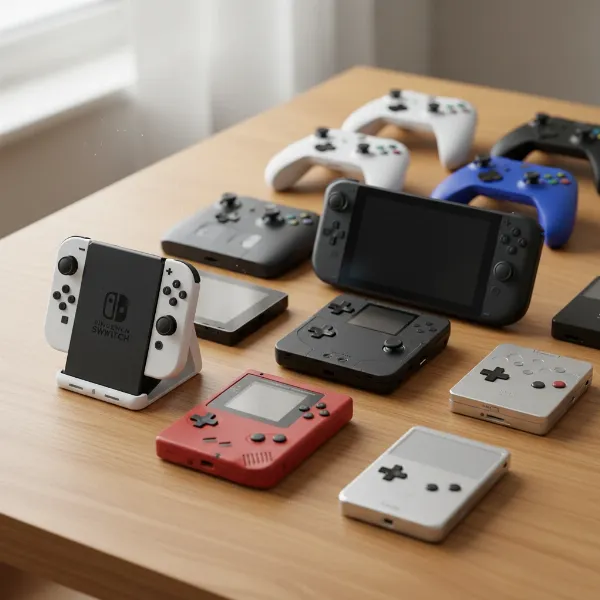 Various handheld game consoles including Nintendo Switch, Steam Deck, and a retro model, displayed on a wooden table with game controllers and accessories in the background, realistic style, eye-level shot, soft studio lighting
So sánh các dòng Handheld Game Console (Comparison Table)
Choosing the best handheld game console can be challenging with so many compelling options available. This table provides a detailed comparison of popular models based on key specifications, helping you make an informed decision.
| Feature | Nintendo Switch OLED | Steam Deck OLED | AYANEO Air 1S | Asus ROG Ally X | Retroid Pocket 6 |
|---|---|---|---|---|---|
| CPU | Custom NVIDIA Tegra X1+ | Custom AMD APU (Zen 2) | AMD Ryzen 7 7840U (Zen 4) | AMD Ryzen AI Z2 Extreme | Unisoc Tiger T618 |
| GPU | Custom NVIDIA Maxwell | AMD RDNA 2 | AMD Radeon 780M | AMD RDNA 3 | Mali G52 MC2 |
| RAM | 4GB LPDDR4X | 16GB LPDDR5 | 16GB / 32GB LPDDR5X | 24GB LPDDR5X | 4GB LPDDR4 |
| Storage | 64GB (expandable via microSD) | 512GB / 1TB (expandable via microSD) | 512GB – 4TB (expandable via M.2) | 1TB (expandable via M.2) | 128GB (expandable via microSD) |
| Display (Size) | 7-inch OLED | 7.4-inch OLED | 5.5-inch OLED | 7-inch LCD (FHD) | 4.7-inch IPS |
| Display (Res) | 1280×720 (720p) | 1280×800 (800p) | 1920×1080 (1080p) | 1920×1080 (1080p) | 750×1334 (vertical) |
| Refresh Rate | 60Hz | 90Hz | 60Hz | 120Hz (VRR) | 60Hz |
| Battery | 4310 mAh (approx. 4.5-9 hrs) | 50Whr (approx. 3-12 hrs) | 38Whr (variable) | 80Whr (variable) | 4500 mAh (approx. 6-8 hrs) |
| Operating System | Proprietary Nintendo OS | SteamOS (Linux-based) | Windows 11 Home | Windows 11 Home | Android / Linux (often custom) |
| Game Library | Nintendo Exclusives, Indie Games | Vast PC (Steam) Library, Emulation | Vast PC (Windows) Library, Emulation | Vast PC (Windows) Library, Emulation | Android Games, Retro Emulation |
| Price (Approx.) | $349 | $549 – $649 | $899+ | $799+ | $149 – $199 |
| Key Differentiator | Hybrid console, exclusives | PC gaming on-the-go, value | Ultra-portable PC gaming, premium | High-performance Windows gaming | Dedicated retro emulation |
Note: Prices are approximate and can vary based on region, retailer, and specific configurations. Battery life is highly dependent on game, settings, and usage.
Buying Guide: How to Choose the Right Handheld Game Console
Selecting a handheld game console requires careful consideration of your personal gaming habits, preferences, and budget. Here’s a comprehensive guide to help you find your perfect portable gaming companion.
Determine Your Needs:
- What games do you want to play? This is the most crucial question. If you crave the latest AAA PC titles, a Windows-based handheld or Steam Deck is essential. For Nintendo exclusives, the Switch is your only option. If you primarily enjoy classic games from previous generations, a dedicated retro handheld will suffice.
- What level of performance do you need? High-fidelity graphics and smooth frame rates for modern games demand powerful CPUs and GPUs, often found in PC handhelds. For indie titles or retro games, less powerful (and often more affordable) devices are perfectly capable.
- How important is portability? Are you looking for something truly pocketable, or is a larger, more ergonomic device acceptable for travel? The smallest devices might sacrifice screen size or powerful components for maximum portability.
- What is your budget? Handheld consoles range widely in price, from under $100 for basic retro emulators to over $1000 for high-end PC handhelds. Setting a budget early will narrow down your options significantly.
Factors to Consider:
- Performance (CPU, GPU, RAM): These specifications dictate what games your handheld can run and how well.
- High-end (AAA titles, modern PC games): Look for AMD Ryzen 7/Z2 Extreme CPUs, RDNA 2/3 GPUs, and at least 16GB of LPDDR5 RAM.
- Mid-range (Indie, older AAA): A custom AMD APU (like the Steam Deck’s) or a robust ARM chip is suitable.
- Entry-level (Retro, light indie): Less demanding processors are fine.
- Display:
- Size: Ranging from 4-inch retro screens to 8-inch PC handheld displays. Larger screens enhance immersion but reduce portability.
- Resolution: 720p (Nintendo Switch) is standard for many, while PC handhelds often offer 1080p for sharper visuals. Higher resolution demands more power.
- Panel Type: OLED screens (Switch OLED, Steam Deck OLED, AYANEO) offer superior contrast, vibrant colors, and true blacks compared to LCDs.
- Refresh Rate: 60Hz is standard, but 90Hz or 120Hz (Steam Deck OLED, ROG Ally X) provides smoother motion, especially in fast-paced games.
- Battery Life: This is often a trade-off with performance. Check estimated playtime under different loads. Devices with larger battery capacities (Whr or mAh) generally last longer but add weight.
- Game Library:
- Exclusives: Nintendo Switch is king here.
- PC Games: Steam Deck, AYANEO, ROG Ally, Legion Go access vast PC libraries.
- Retro/Emulation: Devices like Retroid Pocket or Anbernic are designed for this.
- Operating System:
- Proprietary (Nintendo Switch): Highly optimized for its hardware and exclusive games.
- SteamOS (Steam Deck): Linux-based, user-friendly interface optimized for Steam, but some games require tinkering.
- Windows (AYANEO, ROG Ally, Legion Go): Full PC compatibility, but interface isn’t always touch-optimized.
- Android (many retro handhelds): Access to Android app ecosystem and vast emulation options.
- Price: As noted, prices vary greatly. Be realistic about what you’re willing to spend for the features you desire.
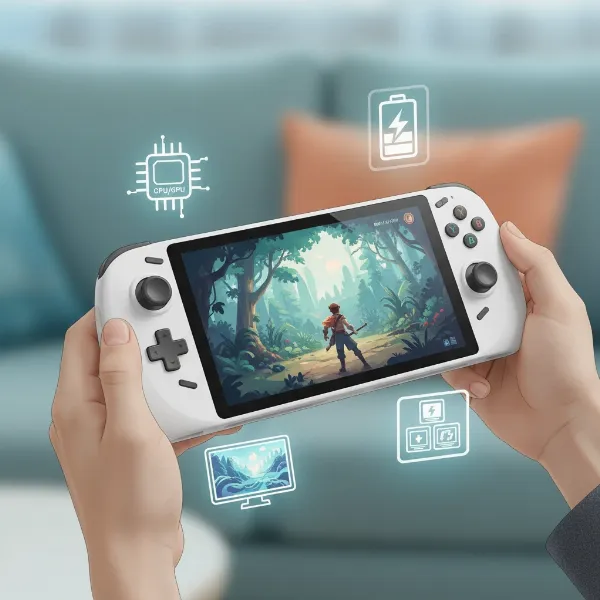 A person's hands holding a modern handheld game console, with various icons representing different buying factors like CPU, screen, battery, and game library floating around, illustrative style, overhead shot, bright lighting
Advice for Specific Users:
- For the Casual Gamer: A Nintendo Switch Lite or a standard Nintendo Switch is perfect. It’s easy to pick up and play, offers a huge array of accessible games, and has excellent first-party titles.
- For the PC Gamer On-the-Go: The Steam Deck OLED offers incredible value and access to your Steam library. If budget allows for premium performance and a full Windows experience, consider an Asus ROG Ally X or an AYANEO device.
- For the Retro Enthusiast: Brands like Retroid Pocket, Anbernic, or Powkiddy offer affordable and highly capable devices specifically designed for emulating classic games.
- For the Performance Seeker: Look towards high-end Windows handhelds like the Asus ROG Ally X or top-tier AYANEO models for the best graphical fidelity and frame rates in a portable form.
“The true magic of a handheld console isn’t just its portability; it’s the dedicated, uninterrupted gaming escape it offers, distinct from the distractions of a smartphone.”
Top Picks: The Best Handheld Game Consoles Today
Based on performance, value, and overall gaming experience, here are some of the most highly-rated handheld game consoles currently available.
- Best Overall Hybrid: Nintendo Switch OLED. With its stunning OLED screen, versatile hybrid design (handheld and TV mode), and an unparalleled library of exclusive games, the Switch OLED offers a fantastic experience for both casual and dedicated gamers.
- Best for PC Games & Value: Steam Deck OLED. For PC gamers, the Steam Deck OLED is a game-changer, providing access to a massive Steam library with a beautiful new display and improved battery life, all at a competitive price point.
- Best High-Performance Windows Handheld: Asus ROG Ally X. If you demand top-tier performance for the latest AAA titles and a full Windows environment, the ROG Ally X stands out with its powerful hardware and enhanced battery.
- Best Ultra-Portable Premium PC Handheld: AYANEO Air 1S. For those prioritizing portability without compromising on PC power, the AYANEO Air 1S offers impressive performance in a remarkably compact and ergonomic design, albeit at a higher price.
- Best for Retro Gaming: Retroid Pocket 6. Offering excellent emulation capabilities for a wide range of classic systems and a solid build quality, the Retroid Pocket 6 provides the best blend of features and value for retro gaming enthusiasts.
Tips and Tricks for Using Your Handheld Game Console
Maximizing your handheld gaming experience often involves a few smart adjustments and maintenance practices. From extending battery life to optimizing performance, these tips will help you get the most out of your device.
Optimize Performance and Battery Life:
Nothing is more frustrating than a low-battery warning mid-game. Here’s how to squeeze more playtime from your handheld:
- Lower Screen Brightness: The display is often the biggest power drain. Reducing brightness to a comfortable level can significantly extend battery life. Enable auto-brightness if available.
- Utilize Power-Saving Modes: Most handhelds offer performance profiles. Switching to a balanced or power-saving mode reduces strain on the CPU/GPU, conserving power without drastically impacting less demanding games.
- Toggle Connectivity: If you’re playing offline, enable Airplane Mode or manually turn off Wi-Fi and Bluetooth. This prevents your device from constantly searching for networks, saving considerable energy.
- Close Background Apps: Unnecessary applications running in the background consume system resources and drain power. Close anything you’re not actively using before launching a game.
- Adjust Audio: Lowering the volume or using wired headphones instead of wireless ones can reduce power consumption, as speakers and wireless audio tend to use more energy.
- Disable Vibration/Haptics: While tactile feedback enhances immersion, haptic vibrations consume power. Turning off controller rumble in settings can provide a small but noticeable increase in battery life.
- Manage In-Game Settings: For demanding games, consider lowering in-game graphical settings like resolution, texture quality, or anti-aliasing. This reduces the workload on the hardware, improving both performance and battery efficiency.
- Keep Your Device Cool: Excessive heat degrades battery performance and lifespan. Ensure vents are clear and avoid playing in hot environments.
Installation and Game Management:
- Pause Auto-Updates: While important, system and game updates can be power-hungry. Set them to run only when your device is plugged in or during off-peak hours.
- Optimize Storage: For consoles with expandable storage, invest in a high-speed microSD card (e.g., microSD Express for Switch 2). Regularly manage your game library, uninstalling titles you don’t play to free up space.
Connecting to TV and Peripherals:
- Use a Dock/USB-C Hub: Many handhelds can connect to external displays. A USB-C hub or a dedicated dock (like those for the Switch or Steam Deck) allows you to output to a TV or monitor, connect external controllers, and charge simultaneously. Look for hubs that support at least 60W power delivery and 4K@60Hz video output.
- External Controllers: For docked play or improved ergonomics, connect a dedicated gaming controller (Xbox, DualSense, or generic Bluetooth controllers). This can offer a more traditional console experience.
Troubleshooting and Maintenance:
- Regular Software Updates: Keep your handheld’s operating system and drivers updated to ensure optimal performance, bug fixes, and compatibility with new games.
- Battery Health: Avoid frequently draining your battery to 0% or leaving it plugged in at 100% for extended periods (especially if docked). Aim to charge when it reaches 20-30% and, if available, enable charge limits (e.g., stopping at 80-90% when docked).
- Cleanliness: Regularly clean your device’s screen, controls, and vents to prevent dust buildup, which can affect performance and cooling.
Handheld Game Console Accessories
Enhance your gaming experience and protect your investment with a range of essential accessories. These add-ons can improve comfort, expand functionality, and ensure your handheld is always ready for action.
-
Protection & Carry Solutions:
- Screen Protectors: Tempered glass screen protectors are crucial for safeguarding your display from scratches and minor impacts.
- Carrying Cases: Hard-shell carrying cases (e.g., JSAUX, tomtoc) offer robust protection for your console and often include compartments for cables, games, and other small accessories, preventing accidental button presses or stick drift during travel.
- Thumb Grips: Small silicone caps that fit over joysticks can improve grip, comfort, and precision while protecting the sticks from wear.
- Travel Kits: Some brands offer form-fitting rubber casings with screen covers, providing both protection and enhanced grip.
-
Power & Charging:
- Power Banks: A high-capacity power bank (ideally 45W or 65W+ output for PC handhelds) is indispensable for extending playtime away from power outlets, allowing you to charge while you play.
- Slim Fast Chargers: A compact, multi-port USB-C charger (e.g., Ugreen Nexode Pro 65W Slim) can quickly charge your handheld and other devices without bulky power bricks.
-
Connectivity & Expansion:
- USB-C Hubs/Docks: These are “the backbone of any handheld-to-desktop setup.” A multi-port USB-C hub or a dedicated dock allows you to connect your handheld to an external monitor/TV via HDMI, use USB-A peripherals (keyboard, mouse, external controllers), connect to Ethernet for stable online gaming, and charge all through a single port.
- MicroSD Cards: Essential for expanding storage, particularly on consoles with limited internal memory. Capacities of 512GB or 1TB offer a good balance of space and value, ensuring you have room for many games. Note that the upcoming Nintendo Switch 2 is expected to use microSD Express Cards.
- External SSDs/Flash Drives: For Windows-based handhelds, external storage provides additional space for games and other files, offering fast loading times.
-
Control & Comfort:
- External Controllers: For docked play or improved ergonomic comfort, consider a full-sized Bluetooth controller (like an Xbox or DualSense controller).
- Kickstands: A sturdy, adjustable kickstand can significantly improve the viewing experience when playing on a surface, especially if your handheld lacks a robust built-in one.
- Portable Monitors: Paired with a kickstand and a USB-C hub, a portable HDMI monitor can transform your handheld into a small, on-the-go desktop gaming setup.
- Bluetooth Keyboards & Mice: For PC handhelds, compact Bluetooth keyboards and mice provide a more traditional input method for productivity and certain game genres (FPS, RTS).
- Wired Earbuds: While wireless earbuds are convenient, wired earbuds can offer lower latency and conserve battery life, which can be crucial for competitive gaming or simply maximizing playtime.
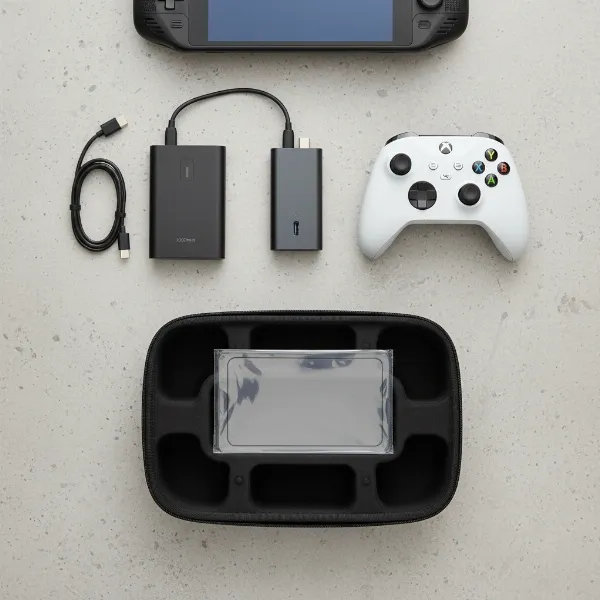 A collection of essential handheld gaming accessories including a portable dock, power bank, external controller, and carrying case, laid out neatly beside a handheld console, editorial style, flat lay shot, clean lighting
Conclusion
Handheld game consoles have come a long way, evolving from simple monochromatic devices to sophisticated machines capable of delivering immersive gaming experiences anywhere. The appeal lies in their unique blend of portability, dedicated controls, and increasingly powerful hardware, offering a distinct alternative to both home consoles and mobile phone gaming. Whether you’re drawn to the exclusive worlds of Nintendo, the expansive libraries of PC gaming on the Steam Deck, or the cutting-edge performance of a premium Windows handheld, there’s a perfect device waiting to transform your commute, travel, or downtime into an epic adventure.
By considering your specific needs—from game preferences and performance requirements to budget and portability—you can navigate the diverse market with confidence. Remember to optimize your device with smart settings and complement it with the right accessories to truly unlock its full potential. The future of handheld gaming continues to look bright, with innovations constantly pushing the boundaries of what’s possible in the palm of your hand. What adventures will you embark on with your next handheld companion?
Frequently Asked Questions
Can handheld game consoles replace traditional gaming PCs or home consoles?
While modern handheld game consoles offer impressive performance and portability, they typically don’t fully replace traditional gaming PCs or home consoles for all users. High-end PCs and consoles generally offer superior graphical fidelity, higher frame rates, and more extensive upgrade options. Handhelds excel in convenience and mobility, providing a complementary gaming experience rather than a complete substitute for high-fidelity home setups.
How do I extend the battery life of my handheld game console?
To extend battery life, reduce screen brightness, enable power-saving modes, turn off Wi-Fi and Bluetooth when not needed, close background applications, lower volume, and disable haptic feedback. For Windows-based handhelds, adjusting in-game graphical settings can also significantly help. Using a power bank is also a great solution for on-the-go charging.
Are handheld game consoles suitable for competitive multiplayer gaming?
Many handheld game consoles support competitive multiplayer, especially those with stable online connectivity and precise controls. Devices like the Nintendo Switch have robust online multiplayer for many titles. PC handhelds can access PC multiplayer games. However, for highly competitive esports, a wired connection and a larger screen on a dedicated PC or console setup might still offer an advantage.
What is the difference between a retro handheld and a modern PC handheld?
Retro handhelds are typically lower-powered devices designed specifically for emulating classic games from older consoles (like NES, SNES, Game Boy, PS1). They are often more affordable and focus on nostalgia. Modern PC handhelds (like Steam Deck, AYANEO, ROG Ally) are significantly more powerful, running full PC operating systems and capable of playing current-generation AAA PC games, often at a much higher price point.
Can I connect an external monitor to my handheld game console?
Yes, most modern handheld game consoles, especially the Nintendo Switch and PC handhelds like the Steam Deck, AYANEO, ROG Ally, and Legion Go, can connect to an external monitor or TV. This usually requires a USB-C hub or a dedicated dock that provides an HDMI output port, allowing for a desktop-like or traditional console experience.